
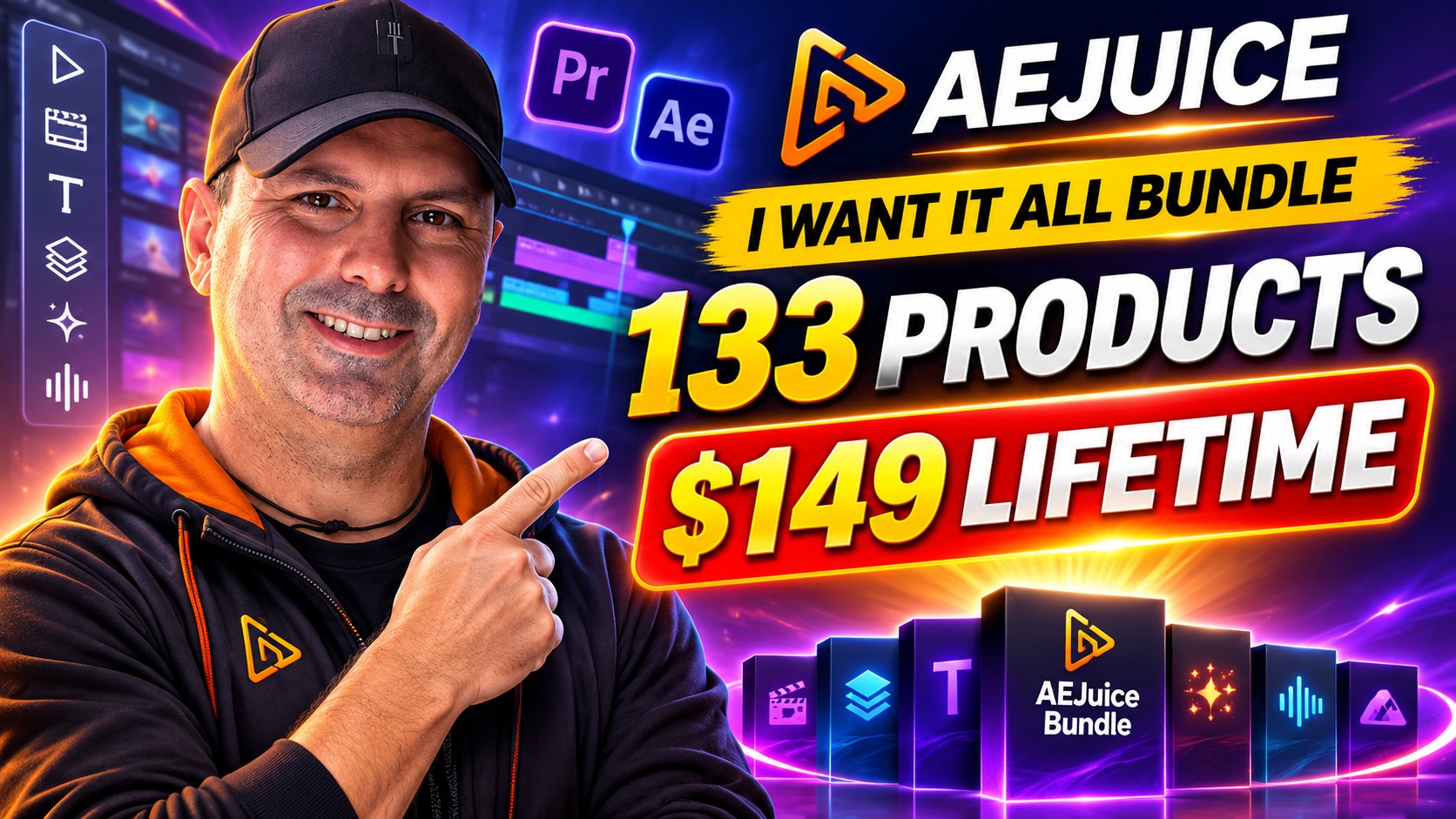
Creating professional videos takes more than simply arranging clips on a timeline.
Whether you’re producing YouTube content, editing promotional videos, designing motion graphics, or working on client projects, the right creative tools can make an enormous difference.
Smooth transitions, animated typography, cinematic textures, and eye-catching visual effects can transform an ordinary edit into something far more engaging.
But building a professional collection of video editing assets can become expensive.
Buying individual animation packs, transitions, visual effects, and motion graphics templates often means managing multiple purchases and spending valuable time searching for the right resources.
That’s where the AEJuice I Want It All Bundle Lifetime comes into the picture.
This comprehensive creative collection brings together 133 products for a one-time payment of $149, according to the featured AEJuice offer.
The bundle’s advertised combined list value is $8,412, making the $149 price particularly interesting for creators who regularly work with visual effects and motion graphics.
Even better, the bundle has attracted attention from established YouTube creators who have demonstrated its contents in real editing environments.
Premiere Gal, Avnish Parker, and Film Learnin have all featured the collection in videos, giving potential buyers several ways to explore what the bundle includes.
But does owning 133 creative products actually improve your video editing workflow?
Let’s examine the features, included assets, practical applications, and important considerations before purchasing.
What Is AEJuice?
AEJuice is a creative software and digital assets brand focused on helping video editors and motion graphics artists improve their workflows.
Its products include visual effects, transitions, animation presets, and other resources designed for video production and motion graphics projects.
The brand is particularly relevant to creators who work with Adobe After Effects and Adobe Premiere Pro.
Both applications are widely used in video production, although they serve somewhat different purposes.
Premiere Pro is primarily associated with timeline-based video editing, while After Effects specializes in animation, compositing, and visual effects.
AEJuice’s creative assets can help simplify certain production tasks by providing ready-made elements that editors can customize and incorporate into their projects.
For example, instead of manually building every animated title or transition, an editor may be able to start with an existing preset.
That doesn’t eliminate the need for creativity.
It simply provides a foundation that can reduce repetitive work and help editors experiment with different visual styles.
For freelancers, YouTubers, agencies, and professional content creators, this type of resource library can become a valuable part of an editing workflow.
What Is the AEJuice I Want It All Bundle Lifetime?
The I Want It All Bundle Lifetime is an extensive collection of AEJuice creative products offered together in a single purchase.
Rather than purchasing every pack individually, users receive access to the products included in the collection.
According to the promotional announcement, the bundle contains 133 products, with access described as lifetime ownership for ongoing creative projects.
AEJuice I Want It All Bundle Lifetime: Key Details
| Feature | Bundle details |
|---|---|
| Product name | AEJuice I Want It All Bundle Lifetime |
| Total included products | 133 |
| Advertised combined list price | $8,412 |
| Featured bundle price | $149 |
| Payment model | One-time purchase |
| Advertised access | Lifetime |
| Featured applications | After Effects and Premiere Pro workflows |
| Included examples | Transitions, textures, animation presets, and creative effects |
| Learning resources | Free AEJuice courses |
Important pricing clarification: The crossed-out $8,412 figure represents the combined list price displayed by AEJuice, not a previously charged price for the complete bundle.
The difference between that listed value and the advertised $149 bundle price is $8,263. However, this comparison should not be interpreted as proof that customers previously paid $8,412 for the same bundle.
The real value of the offer depends on how many of the included products you will actually use.
Why a Lifetime Video Editing Bundle Can Be Valuable
Creative professionals often face an important choice: build assets manually, buy individual products when needed, or invest in a broader creative library.
Each approach has advantages.
Creating everything from scratch provides maximum control, but it can require considerable time.
Purchasing individual resources allows you to select exactly what you need, although the costs can add up over multiple projects.
A comprehensive bundle offers another option.
1. Access More Creative Options
One of the biggest advantages of owning a large motion graphics library is having multiple visual styles available when starting a project.
A corporate promotional video may need subtle transitions and clean typography.
A music video might benefit from VHS effects, film textures, and energetic animation.
A YouTube tutorial could use animated titles and visual elements that help explain complicated information.
Having varied assets available makes it easier to experiment without starting every effect from nothing.
2. Reduce Repetitive Production Work
Video editing involves many repetitive tasks.
Editors frequently create transitions, animate text, adjust visual overlays, and build supporting graphical elements.
Ready-made presets can help accelerate parts of this process.
For example, a text animation preset may provide a starting point for a title that would otherwise require manual keyframe work.
Likewise, a transition pack can provide alternative ways to connect scenes.
The time saved depends on the project, the software environment, and the amount of customization required.
Nevertheless, reducing repetitive tasks can free up more time for storytelling and creative decisions.
3. Build a Reusable Creative Library
A lifetime bundle is appealing because its contents aren’t positioned as a temporary subscription.
According to the announcement, buyers make one payment and can continue using the included products for future projects.
This makes the collection potentially useful for people producing content over several years.
However, lifetime access should not automatically be interpreted as unrestricted licensing, guaranteed future updates, or perpetual compatibility with every software version.
Always review the applicable license and product terms to understand what is included.
4. Experiment With New Editing Techniques
Sometimes the biggest benefit of a creative bundle isn’t a single effect.
It’s the opportunity to try something new.
An editor who normally uses clean transitions might experiment with more energetic visual styles.
A creator who rarely works with typography could begin adding animated text to educational videos.
A freelancer might discover techniques that support new types of client work.
A broader collection can encourage creative experimentation, provided the available effects are used thoughtfully.
What’s Included in the AEJuice I Want It All Bundle Lifetime?
The promotional email highlights several individual products demonstrated by YouTube reviewers.
Although it does not provide an exhaustive list of all 133 products, it identifies a variety of useful creative tools.
Seamless Transitions
Transitions connect shots and help control the visual flow of a video.
The Seamless Transitions pack is among the products demonstrated in Premiere Gal’s review.
Well-chosen transitions can help maintain momentum, introduce new scenes, and create a more polished viewing experience.
For example, energetic transitions can work well in travel montages, product promotions, and social media videos.
However, it’s important not to overuse them.
A simple cut is often more effective than an elaborate transition when the story needs to remain the focus.
Newspaper Constructor
The Newspaper Constructor is another pack highlighted in the Premiere Gal demonstration.
Its name suggests a newspaper-inspired visual approach, making it an interesting resource to explore for editorial-style compositions.
Newspaper aesthetics can support documentaries, historical storytelling, news-inspired sequences, and creative introductions.
The best results come from matching the visual style to the message rather than applying an effect simply because it’s available.
Film Textures
Film textures are useful when editors want to give footage a more organic or cinematic appearance.
Depending on the available assets and their implementation, textured overlays can help establish atmosphere and visual identity.
Film-inspired aesthetics are particularly relevant to storytelling projects, music videos, short films, and artistic promotional content.
For professional results, subtlety matters.
Too much texture can distract from important details or make footage harder to see.
VHS Effects
VHS-inspired effects recreate aspects of older analog video aesthetics.
These styles can be useful for retro-themed productions, nostalgic storytelling, and creative social media projects.
A VHS effect might be especially appropriate for a video referencing the 1980s or 1990s.
However, vintage effects shouldn’t be treated as a universal solution.
Their effectiveness depends on the overall creative direction and intended audience.
Liquid Elements
Liquid Elements are among the assets featured in Avnish Parker’s review.
Fluid-inspired motion graphics can add energy and personality to a visual composition.
These elements may be useful in stylized introductions, dynamic social media content, and animated presentations.
Editors should examine the available examples and customization options to determine how the assets suit their projects.
Text Animation Presets
Animated typography can make information more engaging and easier to follow.
Text animation presets are particularly useful for:
- YouTube introductions and section headings.
- Promotional videos and advertisements.
- Educational tutorials and presentations.
- Social media captions and visual emphasis.
- Product announcements and marketing campaigns.
The goal is to improve communication rather than overwhelm viewers with unnecessary movement.
Readable typography, consistent timing, and a clear visual hierarchy remain essential.
Whiteboard Animation
Whiteboard-style animation is commonly used to explain processes, simplify concepts, and present information visually.
Avnish Parker specifically features Whiteboard resources in his bundle walkthrough.
This type of content can be useful for training videos, educational lessons, and instructional presentations.
For example, a business consultant could use whiteboard-style visuals to illustrate a workflow or describe a common business challenge.
A teacher might use similar visuals to explain a concept step by step.
2D and 3D Animation Presets
The featured bundle also includes 2D and 3D animation presets.
These resources expand the range of motion graphics styles available to creators.
Two-dimensional animation can work well for flat graphics, titles, icons, and stylized visual elements.
Three-dimensional animation techniques can add depth, perspective, and movement to appropriate compositions.
Both approaches can enhance videos when they support the underlying message.
Monster Transitions
Monster Transitions are another product discussed by Avnish Parker.
The pack provides additional transition options for editors interested in dynamic scene changes.
This type of creative resource may be especially appealing for energetic promotional videos, entertainment content, and fast-paced editing styles.
As with all transition effects, the most important consideration is whether the result improves the viewer’s experience.
Three YouTube Creators Review the AEJuice I Want It All Bundle
One of the strongest aspects of the featured promotion is that it highlights actual demonstrations from three video creators.
Rather than relying entirely on product descriptions, potential buyers can examine how different editors explore the included resources.
Each review approaches the collection from a different perspective.
1. Premiere Gal: Exploring AEJuice in Premiere Pro and After Effects
Reviewer: Kelsey, Premiere Gal
Video duration: 16 minutes, 42 seconds
Premiere Gal’s demonstration focuses on opening and exploring the bundle in Adobe Premiere Pro and After Effects.
The featured products include the Pack Manager, Seamless Transitions, Newspaper Constructor, Film Textures, and VHS effects.
This review is especially relevant for creators who want to understand how several types of visual assets fit into familiar Adobe editing environments.
What Makes This Review Useful?
It introduces practical editing resources rather than concentrating exclusively on flashy effects.
Transitions, textures, and newspaper-inspired graphics all serve different creative purposes.
Seeing these resources demonstrated helps viewers decide which types of assets might suit their content.
The Pack Manager demonstration is also worth examining because organizing creative resources can become important when working with a large collection.
Best for: Premiere Pro editors, After Effects users, content creators, and freelancers interested in practical editing assets.
2. Avnish Parker: Exploring Animation Presets and Creative Effects
Reviewer: Avnish Parker
Video duration: 9 minutes, 36 seconds
Avnish Parker’s walkthrough explores several animation-focused products within the bundle.
The featured packs include Liquid Elements, Text Animation Presets, Whiteboard, 2D and 3D Animation Presets, and Monster Transitions.
This selection offers a useful look at the bundle’s motion graphics possibilities.
What Makes This Review Useful?
For creators interested in animation, typography, and visually engaging effects, this demonstration highlights several relevant resources.
Animated text can help communicate key messages.
Whiteboard elements can support explanations.
Liquid-style graphics and animated transitions can introduce energy into suitable productions.
The review also provides a relatively concise overview, making it a practical starting point for exploring these categories.
Best for: Motion graphics enthusiasts, After Effects creators, animation-focused editors, and people producing energetic visual content.
3. Film Learnin: A Longer Look at the Lifetime Bundle
Reviewers: Grant and Dexter, Film Learnin
Video duration: 25 minutes, 3 seconds
Film Learnin features the AEJuice I Want It All Bundle Lifetime in a dedicated review episode focused on After Effects.
Of the three featured videos, this is the longest.
Its extended runtime gives interested viewers another opportunity to examine the bundle through an After Effects-oriented presentation.
Why Watch This Review?
When evaluating a large creative library, it’s useful to see more than one perspective.
A longer review can help viewers become familiar with a product collection and consider how the available assets might fit into their own editing style.
For After Effects users, this episode is a relevant addition to the other two demonstrations.
Best for: After Effects enthusiasts and editors who prefer a longer review before considering a purchase.
Which AEJuice YouTube Review Should You Watch First?
Each video offers a different starting point.
| YouTube creator | Duration | Main focus |
|---|---|---|
| Premiere Gal | 16:42 | Premiere Pro, After Effects, transitions, textures, and Pack Manager |
| Avnish Parker | 9:36 | Animation presets, text effects, Whiteboard, and transitions |
| Film Learnin | 25:03 | Extended After Effects bundle review |
If you’re primarily interested in editing workflows, start with Premiere Gal.
If animated graphics and visual effects are your priority, Avnish Parker’s walkthrough may be especially relevant.
If you prefer a longer After Effects-focused review, explore Film Learnin.
Watching the demonstrations before buying can help you identify products that genuinely match your creative needs.
AEJuice Free Courses: Learn More Than Just Effects
Another helpful part of the AEJuice offering is access to free educational courses.
The announcement highlights classroom learning materials focused on grading, compositing, and motion.
These are important creative skills that extend beyond simply applying presets.
Color Grading
Color grading helps establish the mood, consistency, and visual style of a production.
Understanding how color influences storytelling can improve the overall presentation of your videos.
Compositing
Compositing involves combining visual elements into a coherent scene.
This skill is particularly important for motion graphics, visual effects, and After Effects projects.
Learning compositing fundamentals can help you adapt creative assets more effectively.
Motion Graphics
Motion design focuses on using movement to communicate ideas.
Understanding timing, pacing, and visual hierarchy can make animations more purposeful.
Combining practical learning with ready-made assets can be an effective way to develop editing skills.
Instead of relying entirely on presets, creators can gradually learn why certain effects work and when to use them.
Is the AEJuice I Want It All Bundle Lifetime Worth $149?
The bundle’s value depends on your production habits.
A creator who regularly works with animated titles, transitions, textures, and motion graphics may find considerable usefulness in a broad creative collection.
For someone who only edits simple talking-head videos and rarely needs visual effects, the bundle could provide more resources than necessary.
Before purchasing, consider these questions:
- How frequently do you work on video editing or motion graphics projects?
- Do you use Premiere Pro, After Effects, or both?
- Which of the demonstrated packs would you realistically use?
- Are the included resources compatible with your current software?
- Do the licensing terms cover your intended personal or commercial projects?
- Will the bundle help you save time or expand the services you offer?
It’s also worth reviewing the installation requirements and update policy.
The advertised lifetime model is attractive, but purchasers should confirm the exact meaning of lifetime access.
For creators who use only a few asset types, purchasing individual products might be more economical.
For editors who frequently need different visual styles, a comprehensive bundle may offer greater flexibility.
Tips for Getting the Most Out of the AEJuice Bundle
Owning 133 products doesn’t mean you need to use every pack immediately.
In fact, trying to learn everything at once could become overwhelming.
A better strategy is to organize your workflow around real projects.
Start With Your Most Frequently Used Assets
Identify the types of effects you use most often.
If you edit YouTube videos, begin with transitions and text animations.
If you create cinematic content, explore film textures and visual effects.
If you produce educational videos, investigate whiteboard resources and clean motion graphics.
Focus on mastering a small number of useful tools before exploring the entire collection.
Develop a Consistent Visual Style
A large effects library offers creative flexibility, but consistency remains important.
Choose typography, transitions, and visual treatments that fit your brand or client.
Using too many unrelated effects can make a video feel disorganized.
The most polished result often comes from a carefully selected combination of resources rather than the largest possible number of effects.
Organize Assets by Project Type
Create an organized system for finding frequently used resources.
For example, you could categorize your favorites into YouTube content, social media promotions, cinematic effects, and educational graphics.
A reliable organization system can reduce the time spent searching for assets during editing.
Customize Rather Than Simply Apply
Presets should be treated as starting points.
Whenever customization is supported, adjust timing, colors, placement, and other settings to suit your production.
This helps create a result that reflects your own creative direction rather than looking like an unchanged template.
Keep Learning
Use the available educational resources to improve your understanding of motion design, compositing, and grading.
The more confidently you understand these techniques, the more effectively you can select and customize creative assets.
Frequently Asked Questions About AEJuice I Want It All Bundle Lifetime
What is the AEJuice I Want It All Bundle Lifetime?
It is a collection of 133 AEJuice creative products sold together through a one-time purchase offer.
The bundle includes motion graphics resources, transitions, visual effects, and animation-related assets.
How much does the AEJuice lifetime bundle cost?
The featured promotional price is $149.
The email also displays a combined product list price of $8,412, which is not a previous selling price for the complete bundle.
Check the current checkout total before making a purchase.
Does the bundle require a monthly subscription?
The featured offer describes a one-time payment rather than ongoing subscription billing.
Buyers should verify the applicable access, licensing, and update terms.
Can I use AEJuice with Premiere Pro?
Premiere Gal’s demonstration features resources in Premiere Pro and After Effects.
However, individual packs may have different compatibility requirements, so confirm the supported application for each product you intend to use.
Is the bundle useful for After Effects?
Yes. The featured product collection includes multiple motion graphics and animation resources, and Film Learnin reviews the bundle specifically from an After Effects perspective.
Are all 133 products included in the purchase?
The announcement states that the I Want It All Bundle Lifetime contains 133 products.
It also confirms that the packs shown in the three featured YouTube reviews are included.
Does AEJuice provide free tutorials?
The promotion highlights free classroom courses covering grading, compositing, and motion.
These learning resources can help creators develop practical skills alongside their use of creative assets.
Is AEJuice suitable for beginners?
Beginners may benefit from ready-made creative resources, although familiarity with the relevant editing software remains important.
The available educational materials can also help users build their skills.
Can I use AEJuice assets for commercial projects?
The announcement describes the bundle as suitable for ongoing projects but does not provide the full commercial licensing conditions.
Review AEJuice’s license terms before using the assets in client work, advertising, or other commercial productions.
Final Verdict: Should You Buy the AEJuice I Want It All Bundle Lifetime?
The AEJuice I Want It All Bundle Lifetime presents an appealing opportunity for editors and motion graphics creators looking to expand their creative resources.
With 133 included products and an advertised one-time price of $149, the collection offers a broad selection of assets for different video production styles.
The featured YouTube reviews also provide valuable opportunities to explore the contents before purchasing.
Premiere Gal demonstrates practical transitions, textures, and workflow tools.
Avnish Parker highlights creative animation resources.
Film Learnin offers a longer After Effects-focused review.
Together, these demonstrations help prospective buyers understand the range of products being presented.
The additional free courses covering grading, compositing, and motion are another useful feature for creators interested in improving their skills.
However, purchasing a large bundle only makes sense if its contents are relevant to your work.
Check compatibility, review the license, and consider how frequently you expect to use the included assets.
If you’re regularly producing videos, animations, social media content, or client projects, the bundle may provide a practical foundation for a more flexible and efficient creative workflow.
Explore the AEJuice I Want It All Bundle Lifetime Today
Professional-looking videos aren’t created by effects alone.
They come from strong ideas, thoughtful editing, and creative decisions that support the viewer’s experience.
The right editing resources can make those decisions easier to execute.
If you want to expand your collection of transitions, animated text, film textures, and motion graphics, the AEJuice I Want It All Bundle Lifetime deserves a closer look.
133 creative products. One payment of $149. Advertised lifetime access.
Explore the featured YouTube reviews, examine the available products, and decide whether this collection fits your editing workflow.
The smartest investment is one that helps you create better content, work more efficiently, and develop your skills over time.
Discover what the AEJuice I Want It All Bundle Lifetime could bring to your next video project.
#AEJuice #VideoEditing #MotionGraphics








 English
 Greek
 German
 French
 Spanish