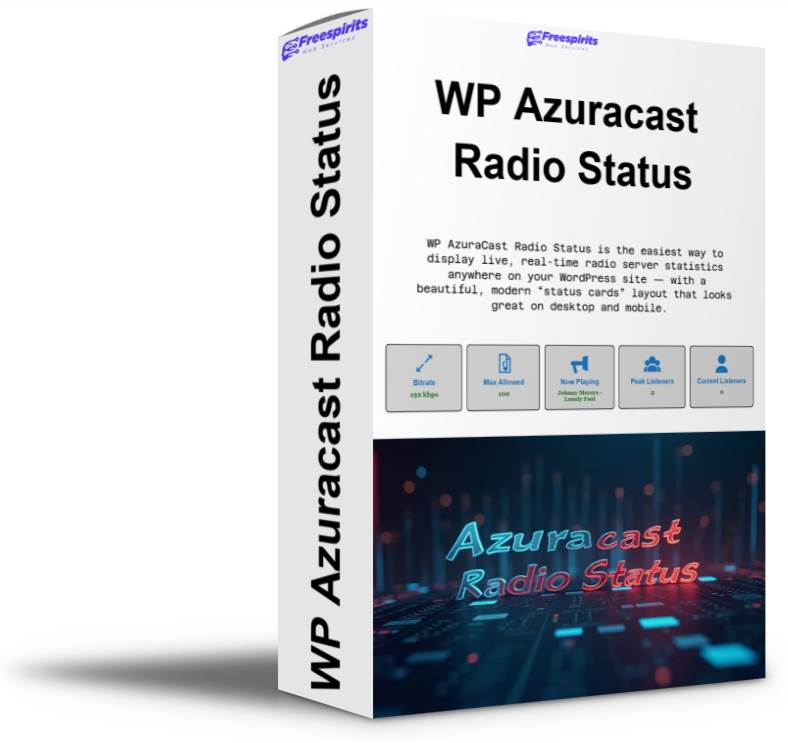
WP AzuraCast Radio Status lets you display beautiful, responsive status cards anywhere on your WordPress site via shortcode. Show ONLINE/OFFLINE, bitrate, now playing, current & peak listeners, and max allowed listeners (AzuraCast Admin API supported). Works with Icecast or Shoutcast and includes full color, font, and layout controls.
WP AzuraCast Radio Status is the easiest way to display live, real-time radio server statistics anywhere on your WordPress site — with a beautiful, modern “status cards” layout that looks great on desktop and mobile.
Whether you run a single AzuraCast station, multiple Icecast/Shoutcast streams, or you simply want to add professional “server health” widgets to your radio website, this plugin turns boring technical data into clean, high-impact cards your visitors instantly understand.
Why This Plugin Exists
If you operate a radio stream, you already know the pain:
Visitors ask “Is the stream online?”
You want to show bitrate to prove quality.
You want to show current listeners to build social proof.
You want peak listeners to highlight growth.
You want a proper “Now Playing” display (and not generic text like “music”).
You want the maximum allowed listeners (the limit you configured inside AzuraCast).
And you want all of this to look great on every device — without writing code.
WP AzuraCast Radio Status was built exactly for that.
What You Can Display (6 Beautiful Responsive Cards)
The plugin can show any (or all) of the following cards, exactly like the style you showed in your screenshot:
Server Status
Shows ONLINE/OFFLINE clearly, so visitors instantly know if your stream is available.
Bitrate
Displays the current stream bitrate (e.g. 128 kbps, 192 kbps) — perfect for showcasing audio quality.
Max Allowed Listeners
Fetches the configured station listener limit from AzuraCast (Admin API) so you can display the real maximum capacity (e.g. 100, 300, etc.).
Includes a safe fallback value if you want to show a limit even when the API is unavailable.
Now Playing
Displays the current track title using AzuraCast Now Playing for accurate results.
(Optional switch in settings: enable it only if you want it.)
Peak Listeners
Shows the maximum number of listeners recorded within the Icecast stats window — perfect as a “record” indicator.
Current Listeners
Shows how many listeners are connected right now — a strong form of social proof.
Choose Exactly What You Want to Show
Not every site needs all six stats.
That’s why WP AzuraCast Radio Status includes visibility checkboxes so you can enable/disable each card individually with one click:
Show only ONLINE/OFFLINE + Now Playing
Or show all stats for a full monitoring dashboard
Or show only listener stats to build credibility
You have full control.
Works With Icecast and Shoutcast
The plugin supports two popular streaming setups:
✅ Icecast
Server hostname
Port
Mount point (e.g. /radio.mp3)
✅ Shoutcast
Server hostname
Port
Shoutcast stats path (defaults to /7.html)
This makes the plugin ideal if you have different stations using different streaming types.
Built for AzuraCast (Optional Enhanced Mode)
If your station runs on AzuraCast, WP AzuraCast Radio Status becomes even more powerful.
AzuraCast Now Playing (Optional)
Enable it to fetch accurate Now Playing data from AzuraCast’s API (ideal when Icecast metadata shows generic placeholders like “music”).
AzuraCast Maximum Listeners (Admin API)
Enable it to fetch the Maximum Listeners value you configured inside AzuraCast (Broadcasting → Advanced Configuration → Maximum Listeners).
This is the only reliable way to display this exact setting on the frontend, because it’s an admin-level station configuration — and this plugin supports it properly.
Display Anywhere With a Shortcode
Add the cards anywhere on your site using the shortcode:
Vertical Stacked Layout (perfect for sidebars, mobile-first pages, or narrow sections)
And of course, it remains fully responsive either way.
Design Controls: Match Your Website Perfectly
WP AzuraCast Radio Status includes built-in styling controls so you don’t need custom CSS.
Customize:
Title font size
Value font size
Font family (per field!)
Title color
Value color (per field!)
Icon color (icons follow title color by default)
Background color
Border color
Border radius
It includes WordPress color pickers so it feels native and easy.
And it ships with defaults matching the elegant style shown in your screenshot — so you can install and use it instantly without tweaking anything.
Smart Performance and Stability
This plugin was built with reliability in mind:
Uses short, safe timeouts on remote calls
Handles stream offline states cleanly
Uses fallbacks when APIs are not accessible
Sanitizes outputs (safe to display)
Works without heavy scripts or bloated frameworks
Lightweight, fast, and made for real-world radio sites.
Who This Plugin Is For
WP AzuraCast Radio Status is perfect for:
Online radio station owners
AzuraCast users who want a professional frontend status widget
Broadcasters who want to show social proof with live listener counts
Webmasters building radio websites for clients
Hosting providers offering radio services who want a status dashboard on the client site
DJs and station operators who want a clean “Now Playing + Status” display
Typical Use Cases
Add a “Stream Status” section on your homepage
Create a full “Radio Dashboard” page showing all stats
Show current listeners as proof your station is active
Show bitrate to justify premium audio quality
Display max allowed listeners for transparency
Place “Now Playing” in a sidebar or header area
Use vertical layout for mobile-focused landing pages
Summary
WP AzuraCast Radio Status gives your WordPress site a modern, professional radio monitoring widget — without coding.
It’s clean, responsive, customizable, shortcode-based, supports Icecast and Shoutcast, and includes powerful AzuraCast integration for Now Playing and Maximum Listeners.
If you want your radio site to look more trustworthy, more active, and more professional, this plugin is the simplest upgrade you can add today.