Contact Support
24/7 Customer Support
+30 6974 319 263
Talk to a real technician now.
All Systems Operational
Online store always open
24/7 Customer Support
Talk to a real technician now.
Online store always open
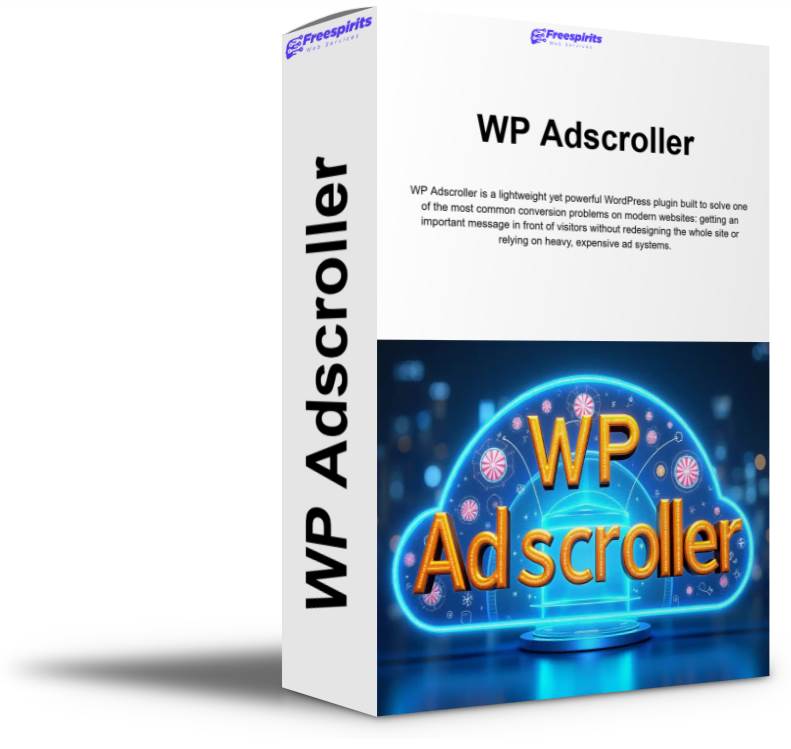
WP Adscroller is a lightweight WordPress plugin that displays a sticky ad/announcement bar at the top or bottom of your site. Add unlimited HTML messages, rotate them randomly, style each message with custom colors, choose where it appears (posts, pages, or everywhere), and optionally enable a close button, scheduling, and sticky offsets to avoid overlapping headers.

WP Adscroller is a lightweight yet powerful WordPress plugin built to solve one of the most common conversion problems on modern websites: getting an important message in front of visitors without redesigning the whole site or relying on heavy, expensive ad systems. With WP Adscroller, you can display a clean, fixed bar at the top or bottom of the screen and rotate different promotional messages automatically. It’s designed for site owners who want fast control, simple setup, and a professional result—without coding.
At its core, WP Adscroller lets you add unlimited HTML messages and show them as a sticky announcement/ad bar. Each time a page loads, the plugin can pick a random active message from your list, so your visitors naturally see different promos over time. This is perfect for affiliate promotions, seasonal offers, newsletter opt-ins, coupon codes, product announcements, flash sales, new blog posts, service highlights, Black Friday banners, upsells, cross-sells, or “free guide” lead magnets. Instead of being stuck with one banner forever, you can rotate multiple messages and let the plugin do the distribution.
Many banner plugins cause layout issues or cover important elements—especially on mobile. WP Adscroller is built to avoid that. The plugin includes a smart “space reservation” behavior that prevents the bar from covering your site’s header or hero section. When the bar is enabled, it automatically measures its own height and creates a spacer in the page flow, pushing your content down (for top bars) or ensuring nothing gets covered (for bottom bars). This means your page remains readable and your design stays intact, even when your theme has sticky headers, transparent menus, or large hero sections.
On top of that, WP Adscroller includes “Sticky Offset” settings. This is a practical feature for real-world WordPress setups where headers can be fixed or floating. With offsets, you can tell the plugin to start the top bar slightly lower (for example, 60px below the top) so it never overlaps your theme’s sticky menu. Likewise, for bottom bars, you can add a bottom offset to avoid overlapping a floating chat widget, cookie consent bar, or mobile navigation.
WP Adscroller gives you precise display controls so you can choose where the bar appears:
This is ideal if you want to keep your homepage clean but show offers on articles, or promote a lead magnet only on blog content, or display an urgent announcement on key pages without touching other parts of the site.
One of the strongest features of WP Adscroller is the message system. Instead of a single banner, you can create unlimited ad messages and store them inside the plugin. Every message supports:
This gives you flexibility to keep your brand consistent while still making certain promos stand out. For example, you can use a calm brand color for general announcements, and a bold attention-grabbing color for “limited time” offers. Or you can assign different colors to different categories of promotions (affiliate offer, internal offer, lead magnet, webinar, etc.) so you recognize them at a glance in your admin area.
Because messages are HTML-based, you can easily include CTA links such as “Find out more →”, “Get the deal”, “Watch the video”, “Download the guide”, or “Claim your coupon.” If you want a “button” look, you can include a styled <a> tag with inline CSS—no custom theme edits required.
WP Adscroller can randomly rotate between all eligible messages. That means on every page load, it chooses one message at random from your active pool. This simple behavior has a big benefit: it reduces banner blindness and prevents visitors from ignoring the same announcement forever. Over multiple visits, your audience sees different promotions naturally.
Random rotation is also useful if you have multiple affiliate offers or multiple internal promotions and you don’t want to manually swap banners every day. Add your messages once, keep them updated, and let WP Adscroller do the rotation automatically.
Not every visitor wants to see a promo bar every time. That’s why WP Adscroller includes an optional Close button. When enabled, a small close control appears on the bar so users can dismiss it. Once dismissed, the bar stays hidden for that visitor for about 24 hours (stored in the browser), reducing friction and improving the user experience.
This feature is especially helpful for content-focused sites, blogs, and news-style layouts where repeat visitors may find constant banners annoying. You still get the benefit of promotion, but your audience gets control—resulting in better engagement and fewer complaints.
WP Adscroller can also support message scheduling when enabled. Scheduling turns the plugin from a simple banner tool into a lightweight “campaign runner.” With scheduling activated, each message can include:
Only messages that are currently within their schedule window are considered eligible for rotation. This is extremely useful for time-sensitive promos like:
Instead of setting reminders and constantly updating your banner manually, you can plan ahead. Add your messages, define the time windows, and WP Adscroller will automatically show the right messages at the right times.
Even better, if you mix scheduled and evergreen messages, you can keep your banner always active while still highlighting time-limited campaigns during their window.
WP Adscroller is designed to be lightweight. It doesn’t load unnecessary libraries or bloat your frontend. It also avoids complicated visual builders or heavy frameworks. You manage everything from a straightforward settings screen inside WordPress.
Because it uses standard WordPress architecture, it integrates cleanly with most themes and plugins. The bar is displayed on the frontend only when enabled, and the spacer logic helps prevent layout overlap issues that typically come with sticky announcement bars.
WP Adscroller fits perfectly into many real-world business models:
Promote different offers without constantly editing your site. Rotate messages between affiliate products, video reviews, free training, or email list funnels. Use scheduling for “deal of the day” or limited-time launches.
Promote free shipping, discounts, coupon codes, new arrivals, bundles, or holiday sales. Display on product pages, shop pages, and checkout-related pages (depending on your chosen display rules).
Announce availability, booking specials, free consultations, new service packages, or seasonal offers. Use a top bar for urgent announcements or a bottom bar as a subtle call-to-action.
Offer a newsletter, free PDF, course discount, Patreon link, or affiliate recommendation. Give visitors the option to close the bar so it doesn’t distract them long-term.
Because every message has its own colors, you can do micro-campaign branding. For example:
This small visual system can help boost clicks and make the site feel alive without adding clutter.
WP Adscroller is also an excellent foundation for more advanced features if you decide to expand later. Many users start with the essentials—rotating messages, close button, scheduling—and then layer on extra targeting and analytics as they scale. The plugin’s approach (messages stored in the plugin, controlled display rules, clean frontend rendering) makes it ideal for future improvements such as:
Even without those extras, WP Adscroller already covers the most valuable 80%: getting a clear, rotating, non-intrusive ad bar live in minutes.
WP Adscroller is the perfect “set it and forget it” sticky banner plugin for WordPress. It lets you place a fixed bar on the top or bottom of the screen, choose where it appears (posts, pages, or everywhere), rotate unlimited HTML messages randomly, style each message individually with background and font colors, optionally let users close it, optionally schedule messages for automated campaigns, and avoid overlay issues with smart spacer handling and sticky offsets.
If you want a simple plugin that increases visibility for promotions without hurting user experience or breaking your layout, WP Adscroller is built exactly for that job.
Not Sure Yet?
See Amazing Additional Features And Details


99,00 € Original price was: 99,00 €.69,00 €Current price is: 69,00 €.