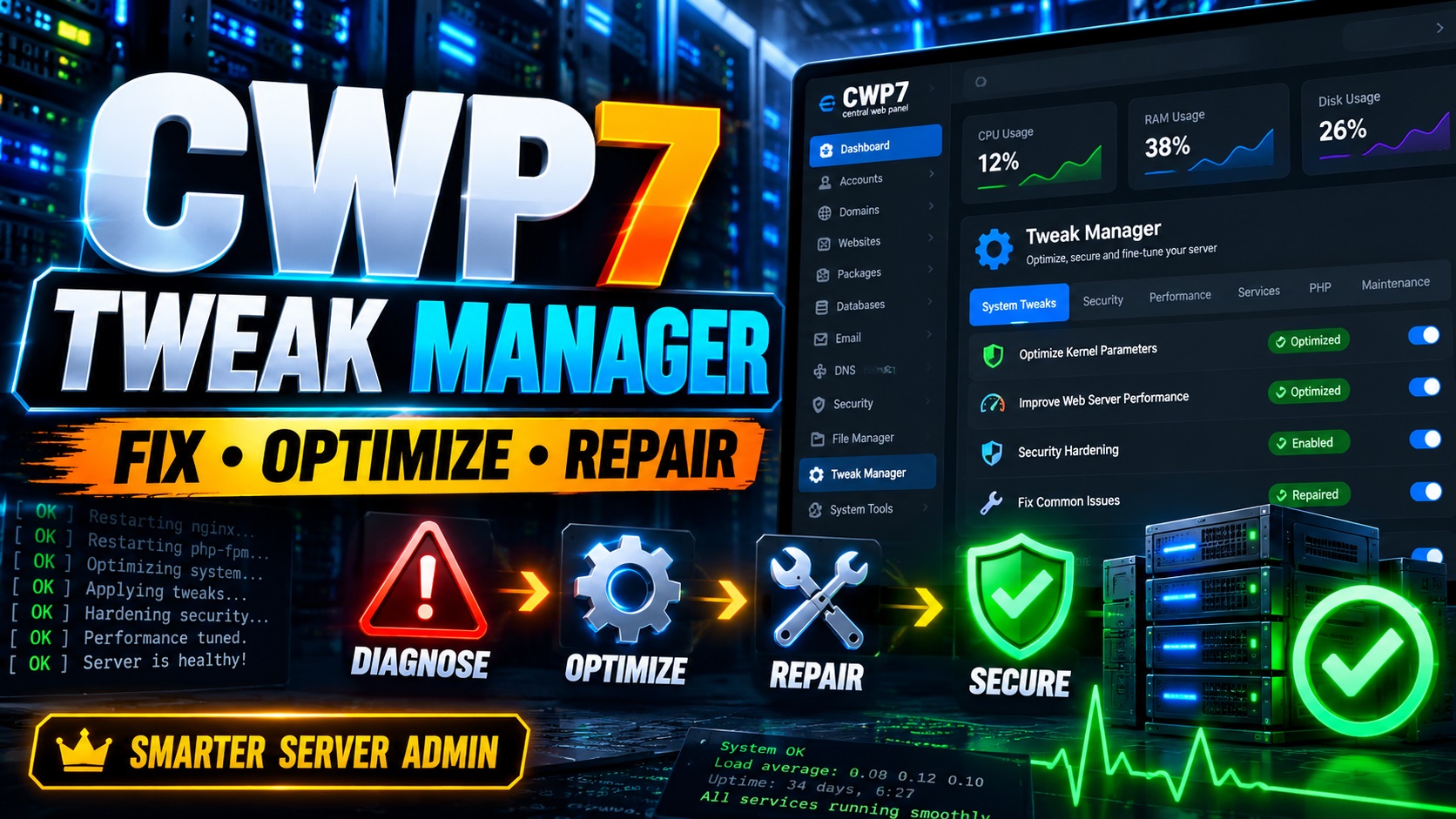
Managing a VPS with Control Web Panel can give you enormous flexibility.
It can also give you a surprisingly long list of repetitive administrative jobs.
A website suddenly starts returning a 403 error. Files that should belong to a alojamiento account are owned by root. SpamAssassin appears to be running, yet unwanted messages continue arriving. Your CWP hostname certificate looks correct on disk, but the panel still presents an older SSL certificate. You need to configure XFS quotas, check CSF paths, investigate FTP over TLS, inspect PHP OPcache, or determine whether your servidor IP has developed a reputation problem.
Most experienced servidor administrators know what happens next.
You open SSH.
Then you start checking configuration files, looking through command history, searching old notes, comparing paths, restarting services, testing the result, and making sure that one repair has not accidentally created another problem.
That is exactly the kind of repetitive servidor administration that CWP7 Tweak Manager is designed to simplify.
CWP7 Tweak Manager is an all-in-one maintenance and diagnostics toolkit built specifically for CWP7 / Control Web Panel administrators running AlmaLinux environments.
Instead of replacing serious servidor administration with a collection of risky “fix everything” buttons, it follows a much more sensible approach:
Check → Understand → Review → Confirm → Apply → Verify
That philosophy alone makes CWP7 Tweak Manager worth a closer look.
Qué es CWP7 Tweak Manager?
CWP7 Tweak Manager is a graphical administration module designed to bring many commonly repeated CWP servidor maintenance procedures into one organized interface.
It covers several areas that normally require administrators to move between CWP, SSH sessions, configuration files, individual Linux commands, log files, mail tools, firewall utilities, and external monitoring services.
The module includes tools covering areas such as:
- File ownership and permissions
- CWP hostname SSL
- CSF and iptables
- IPv6
- FTP over TLS
- XFS disk quotas
- SpamAssassin
- Mail diagnostics
- IP reputation monitoring
- Apache
- PHP OPcache
- Database readiness
- Roundcube
- Servidor preferences
- Licensing and module management
That is already a substantial collection of tools.
But the important point is not simply how many functions are included.
The bigger advantage is how those functions are presented.
CWP7 Tweak Manager attempts to understand the current condition of the servidor first.
If something is already configured correctly, it does not needlessly encourage you to “repair” it again.
If a change could affect an important service, the administrator remains in control.
That makes it very different from running a random shell script from an old forum post and hoping that it still applies to your current servidor.
Stop Repeating the Same SSH Repairs
SSH is not going away.
Nor should it.
For serious Linux administration, SSH remains one of the most important tools available.
The problem is that experienced administrators often find themselves performing the same tasks again and again.
Maybe six months ago you solved an ownership problem for a alojamiento cuenta.
You remember that you used several find, chown, y chmod commands.
But what exactly did you exclude?
What permissions did you use?
Did you handle symbolic links separately?
Did you protect files belonging to another account?
Did you verify the result afterward?
If you manage one servidor, perhaps you can remember everything.
If you manage ten servers, twenty servers, or dozens of customer VPS environments, that becomes much harder.
CWP7 Tweak Manager turns those repeated procedures into standardized workflows.
Instead of asking:
“What was that command again?”
you can use a tool designed to inspect the situation, explain what it finds, and offer the appropriate action when one is genuinely required.
Para alojamiento professionals, that can become a major productivity improvement.
Intelligent Ownership and Permission Repair
Incorrect ownership is one of those problems that can make an otherwise healthy website behave as though something is seriously broken.
It often happens after files have been copied, restored, extracted, or manipulated while logged in as root.
Instead of belonging to the alojamiento account, website files may end up owned by:
root:root
The consequences can include:
- 403 errors
- Failed WordPress updates
- Joomla extension installation problems
- Cache failures
- FTP access problems
- PHP errors
- Applications being unable to write files
- Website owners being unable to edit their own content
The quick response is often to run recursive chown o chmod commands.
That can work.
It can also be dangerous when performed carelessly.
CWP7 Tweak Manager approaches the problem more intelligently.
It can inspect a selected alojamiento account and normalize website ownership and permissions while respecting important boundaries.
Normal directories can be set to the expected 0755 permissions, while normal website files can be set to 0644.
More importantly, the repair process is designed to avoid blindly changing everything it encounters.
It takes special situations such as symbolic links, hard-linked files, unrelated mounted filesystems, files belonging to other alojamiento accounts, executables, and sensitive files into consideration.
Then it performs another scan after the repair.
That last step matters.
A script that runs without displaying an error does not necessarily mean your problem has actually been solved.
CWP7 Tweak Manager performs post-operation verification so the administrator can see whether eligible ownership or permission problems remain.
Diagnose CWP Hostname SSL Problems
SSL problems involving the CWP hostname can be particularly frustrating.
The certificate may look completely correct when you inspect the expected files.
Yet when you open the Control Web Panel interface, an older or incorrect certificate is still being served.
The underlying problem may involve an outdated certificate reference rather than the certificate you initially inspected.
CWP7 Tweak Manager can examine several pieces of the hostname SSL setup, including:
- En servidor hostname
- Active hostname certificate files
- Legacy certificate references
- Private keys
- Certificate and key matching
- Certificate validity dates
- CWP web service configuration
- The certificate actually presented on relevant ports
- Unexpected certificate references in active configuration files
This can significantly reduce the amount of manual investigation required.
Even better, the tool is designed to distinguish between a real problem and a configuration that is already correct.
If no repair is needed, you should not be encouraged to make unnecessary changes.
If a stale certificate reference genuinely exists, the repair workflow can create a backup, apply the required correction, validate the configuration, reload the relevant service, and retest the served certificate.
That is the kind of workflow servidor administrators tend to appreciate because diagnosis and repair are connected rather than treated as two unrelated jobs.
Smarter CSF and iptables Checks
Firewall configuration is not an area where trial and error is a good strategy.
A small mistake can interfere with connectivity, expose services, or create a situation where you suddenly find yourself locked out of the servidor you were trying to repair.
CWP7 Tweak Manager includes tools for checking CSF and iptables configuration in a more controlled way.
It can verify whether required packages are available and inspect the paths CSF uses for iptables and ip6tables commands.
One interesting detail is that it understands the realities of AlmaLinux path handling.
For example, /sbin may resolve to /usr/sbin, while an iptables executable may ultimately point through a wrapper or symbolic path.
A simplistic script might see two different paths and incorrectly conclude that the configuration is broken.
CWP7 Tweak Manager attempts to resolve the executable behind those paths before deciding that a repair is necessary.
It also separates individual actions.
Installing a package, repairing configuration paths, and reloading CSF are not treated as one giant irreversible operation.
That separation provides administrators with more control.
Manage IPv6 Without Manually Editing Everything
Disabling or re-enabling IPv6 is another example of a task that frequently sends administrators into configuration files and boot settings.
CWP7 Tweak Manager brings IPv6 management into its graphical interface.
It can check both the current running state and the configuration intended for the next boot.
That includes checking whether IPv6 is currently enabled, examining boot-related settings, detecting IPv6 addresses, and checking IPv4 availability before preparing network-related changes.
The interface is state-aware.
If IPv6 is already disabled, there is little value in presenting a giant button telling you to disable IPv6 again.
The logical action becomes enabling it.
This may sound like a small detail, but it demonstrates one of the most useful ideas behind CWP7 Tweak Manager:
the interface should react to the servidor rather than assume every servidor needs the same repair.
Importantly, the module does not simply reboot your VPS automatically after making a boot-related change.
Reboots remain under the administrator’s control.
FTP Over TLS Diagnostics
FTP problems often sit somewhere between servidor configuration, firewall configuration, SSL certificates, and client settings.
That makes troubleshooting more complicated than simply asking whether Pure-FTPd is running.
CWP7 Tweak Manager includes diagnostics for Pure-FTPd and Explicit FTPS.
It can inspect whether TLS is configured, determine whether the required certificate exists, test standard FTP connectivity, and work with custom ports.
It can also detect whether the CWP-provided Pure-FTPd TLS installation workflow is available.
One particularly useful distinction is that the module treats enabling FTP TLS y configuring a custom FTP port or firewall rule as separate issues.
That can prevent administrators from chasing the wrong problem.
Simplify XFS Disk Quota Configuration
Disk quota configuration on CWP and AlmaLinux can involve several moving parts.
You are not simply flipping one setting.
Filesystem options, boot configuration, XFS quota support, CWP configuration, and individual account limits may all need to work together.
CWP7 Tweak Manager organizes this process into stages.
First, it can inspect the filesystem layout and prepare the required XFS quota parameters.
After the appropriate reboot, it can check whether quota accounting and enforcement are genuinely active.
Only then does it proceed with the CWP-specific configuration.
Existing alojamiento account quotas can subsequently be synchronized so package and account limits are properly applied.
That staged approach helps solve a common problem with servidor administration tools: trying to configure application-level features before verifying that the operating system underneath them is actually ready.
Advanced SpamAssassin Diagnostics
Mail troubleshooting is where CWP7 Tweak Manager becomes especially interesting.
A servidor administrator may check a service and see:
“SpamAssassin is running.”
That sounds reassuring.
Unfortunately, it does not prove that incoming mail is actually being processed by SpamAssassin.
A real mail system can involve a more complicated pipeline.
Depending on the servidor configuration, messages may flow directly through SpamAssassin or pass through additional components such as Amavis and ClamAV.
CWP7 Tweak Manager attempts to identify the actual mail filtering pipeline before suggesting what needs attention.
It includes tools for:
- Mail pipeline detection
- SpamAssassin configuration linting
- GTUBE testing
- Bayes diagnostics
- Razor diagnostics
- Spam sensitivity adjustment
- Subject tagging
- Rule updates
- Suspicious-message analysis
This makes the module more than a simple service-status checker.
Adjust Spam Sensitivity Through the GUI
Spam filtering involves a tradeoff.
Set the threshold too high and obvious junk may reach users.
Set it too low and legitimate messages can become false positives.
CWP7 Tweak Manager provides GUI controls for adjusting SpamAssassin sensitivity.
Available levels include configurations corresponding to thresholds such as:
- 5.0 Standard
- 4.5 Stronger
- 4.0 Aggressive
- 3.5 Very Aggressive
Optional subject tagging can also be enabled so suspicious messages can be visibly marked.
What makes the workflow safer is that configuration changes are backed up and validated.
If validation fails, the previous configuration can be restored rather than leaving the mail system sitting on a broken configuration file.
Analyze a Spam or Phishing Email
This may be one of the most practical troubleshooting features in the entire package.
Imagine a customer forwards you an obvious phishing email and asks:
“Why did my spam filter allow this?”
Normally, answering that question could require digging through message headers, SpamAssassin results, logs, scoring rules, and mail-pipeline behavior.
CWP7 Tweak Manager lets administrators paste the raw source of a suspicious email into the analysis interface.
It can help determine whether:
- SpamAssassin headers were already present
- The message was actually scanned
- What score the servidor’s current rules assign
- What the current spam threshold is
- Whether the message would currently qualify as spam
- Which SpamAssassin rules contributed to the score when available
This helps answer an important troubleshooting question:
Did the email bypass spam filtering, or was it scanned and simply not considered spammy enough?
Those are two completely different problems.
Without that distinction, administrators can spend a lot of time trying to fix something that is not actually broken.
Update SpamAssassin Rules Safely
Spam changes constantly.
A filtering system that never updates becomes less useful over time.
CWP7 Tweak Manager can run SpamAssassin’s official rule update process and then validate the configuration.
If new rules are available, the appropriate mail-filter service can be reloaded.
If nothing changed, unnecessary service restarts can be avoided.
Again, this demonstrates the module’s state-aware approach.
It tries to perform actions because they are needed, not simply because a button was clicked.
Monitor Your Servidor IP Reputation
Email deliverability is not determined only by your mail servidor configuration.
Your outgoing IP reputation matters too.
You can configure SPF, DKIM, DMARC, SpamAssassin, reverse DNS, TLS, and other mail settings correctly and still experience delivery problems if your servidor’s IP develops a poor reputation.
CWP7 Tweak Manager incorporates IP reputation checks using multiple reputation sources.
Results can be classified into categories such as:
CLEAN
LISTED / BLOCKED
UNKNOWN / INCONCLUSIVE
The distinction between clean and inconclusive is important.
A service failing to return a reliable answer does not magically mean your IP is clean.
The module can also schedule weekly reputation checks.
You can select the IP address, day, time, and administrator email address.
When a confirmed blacklist or blocking issue is detected, the administrator can receive an automatic warning.
Para alojamiento companies and businesses operating their own mail infrastructure, that kind of early warning can be extremely useful.
A reputation problem discovered quickly is much easier to investigate than one discovered only after several customers complain that their email is landing in spam folders.
Apache and PHP Diagnostics
Web servidor problems are another everyday part of alojamiento administration.
CWP7 Tweak Manager includes diagnostics for Apache and PHP-related configuration.
It can inspect Apache configuration, detect certain malformed ModSecurity entries, validate Apache syntax, and apply guarded repairs where appropriate.
It can also inspect PHP OPcache across installed CWP PHP-FPM versions.
That is particularly useful on servers alojamiento multiple applications with different PHP versions.
Instead of assuming every PHP installation uses the same setup, administrators can inspect what is actually present.
Database and Roundcube Readiness Checks
Not every servidor management tool needs to offer destructive database repair buttons.
In fact, sometimes the safer choice is not to offer them at all.
En CWP7 Tweak Manager database section focuses on useful readiness information.
It can inspect areas such as:
- Database service availability
- Backup utility availability
- Free disk capacity
- Roundcube configuration detection
- Relevant database configuration paths
That gives administrators diagnostic information without turning dangerous database operations into casual one-click actions.
A State-Aware Interface Is the Real Advantage
The individual features of CWP7 Tweak Manager are useful.
But its state-aware behavior may be even more important.
Consider a few examples.
If IPv6 is already disabled, why show a Disable IPv6 action?
If XFS quotas are already enabled, why offer to enable them again?
If CSF paths are valid, why present a Repair button?
If CWP hostname SSL is already correct, why modify its configuration?
If the correct iptables packages are present, why reinstall them?
If website ownership and permissions are already healthy, why run chmod y chown operations again?
CWP7 Tweak Manager attempts to answer these questions before offering the action.
That reduces unnecessary servidor changes.
In administration, sometimes the best action really is:
Do nothing. Everything is already correct.
Good tooling should be able to tell you that.
Portable Preferences for Multiple CWP Servers
The value of standardized administration increases dramatically when you maintain multiple servers.
CWP7 Tweak Manager can export selected module preferences in a portable JSON configuration.
This can help alojamiento providers and system administrators maintain consistent preferred settings across multiple CWP environments.
Importantly, importing those preferences does not mean automatically executing every associated servidor change.
Relevant actions still need to be reviewed and confirmed on the destination machine.
That keeps configuration portability separate from blind automation.
Installing CWP7 Tweak Manager Does Not Automatically Change Your Servidor
This is another detail administrators will appreciate.
Installing the module itself does not mean it immediately starts modifying important servidor settings.
Simply installing CWP7 Tweak Manager does not automatically:
- Change website ownership
- Change file permissions
- Disable IPv6
- Reload your firewall
- Enable XFS quotas
- Modify SpamAssassin configuration
- Restart mail services
- Activate scheduled reputation monitoring
- Reboot the VPS
Servidor-changing actions remain under administrator control.
This dramatically reduces the anxiety that often accompanies installing third-party servidor-management tools.
You are installing a toolkit, not giving a script permission to redesign your entire servidor the moment installation completes.
Who Is CWP7 Tweak Manager For?
CWP7 Tweak Manager has a fairly clear audience.
It makes the most sense for people who already work with CWP servers and understand the responsibilities involved in maintaining Linux alojamiento infrastructure.
That includes:
- Web alojamiento companies
- VPS administrators
- System administrators
- Freelancers managing customer servers
- Web agencies
- WordPress alojamiento providers
- Joomla alojamiento providers
- Developers managing production infrastructure
- Businesses operating their own CWP servers
- Administrators responsible for several CWP installations
The more servers you maintain, the more useful repeatable workflows become.
A task that saves five minutes on one servidor is convenient.
A task that saves five minutes across twenty servers, every month, is operational efficiency.
En CWP7 Tweak Manager Replace SSH?
No.
And that is actually one of its strengths.
Any tool claiming to completely eliminate SSH from professional Linux administration would deserve skepticism.
Some problems require manual investigation.
Some environments are unusual.
Some troubleshooting situations require direct access to logs, processes, packages, files, network connections, system services, and low-level configuration.
CWP7 Tweak Manager is better understood as a way to eliminate unnecessary repetitive SSH work.
The goal is not:
“Never use SSH again.”
The goal is:
“Stop manually repeating procedures that can be diagnosed and managed more intelligently.”
That is a much more realistic proposition.
¿Por qué? CWP7 Administrators Should Pay Attention
Servidor administrators usually build their own invisible toolbox over time.
A text file containing useful commands.
Bookmarks to forum posts.
Shell history.
Personal scripts.
Old support tickets.
Configuration snippets.
Notes about that strange SSL problem from two years ago.
Commands copied from one servidor to another.
That approach works until it becomes difficult to remember which command was created for which environment, which version of AlmaLinux it applied to, and whether the workaround is still appropriate today.
CWP7 Tweak Manager takes many of those recurring workflows and turns them into an organized administration interface.
Instead of remembering only how to execute a command, the module places more emphasis on determining whether the command should be executed in the first place.
That is an important distinction.
Automation becomes safer when diagnosis comes before modification.
CWP7 Tweak Manager: Diagnose Faster, Repair Smarter
The best servidor administration tools are not necessarily the ones containing the largest number of buttons.
They are the ones that reduce repetitive work without taking control away from the administrator.
That is where CWP7 Tweak Manager makes a strong case for itself.
It brings ownership repairs, permission normalization, SSL diagnostics, CSF validation, iptables checks, IPv6 controls, FTP TLS troubleshooting, XFS quota management, SpamAssassin diagnostics, suspicious-email analysis, reputation monitoring, Apache checks, PHP inspection, database readiness information, and other useful CWP maintenance tasks into one interface.
More importantly, it is designed around a responsible workflow:
Check. Understand. Review. Confirm. Apply. Verify.
For an administrator managing a single CWP VPS, that can make routine maintenance more convenient.
For freelancers and agencies looking after multiple customer servers, it can make recurring support tasks far more consistent.
And for alojamiento providers responsible for a growing collection of CWP installations, it can become a central toolkit for reducing repetitive troubleshooting without giving up administrative control.
SSH will always have its place.
But there is little reason to manually repeat the same maintenance procedure for the tenth time when a purpose-built tool can inspect the servidor, explain the condition, guide you through the appropriate action, and verify the result afterward.
That is the real appeal of CWP7 Tweak Manager.
It does not try to turn servidor administration into a magic button.
It tries to make experienced servidor administration faster, clearer, safer, and more repeatable.
And for anyone regularly managing Control Web Panel servers on AlmaLinux, that can be a very valuable upgrade to the everyday administration workflow.
#CWP7 #ServerManagement #AlmaLinux