Contactar con el servicio de asistencia
Atención al cliente 24 horas al día, 7 días a la semana
+30 6974 319 263
Hable ahora con un técnico de verdad.
Todos los sistemas operativos
Tienda en línea siempre abierta
Atención al cliente 24 horas al día, 7 días a la semana
Hable ahora con un técnico de verdad.
Tienda en línea siempre abierta
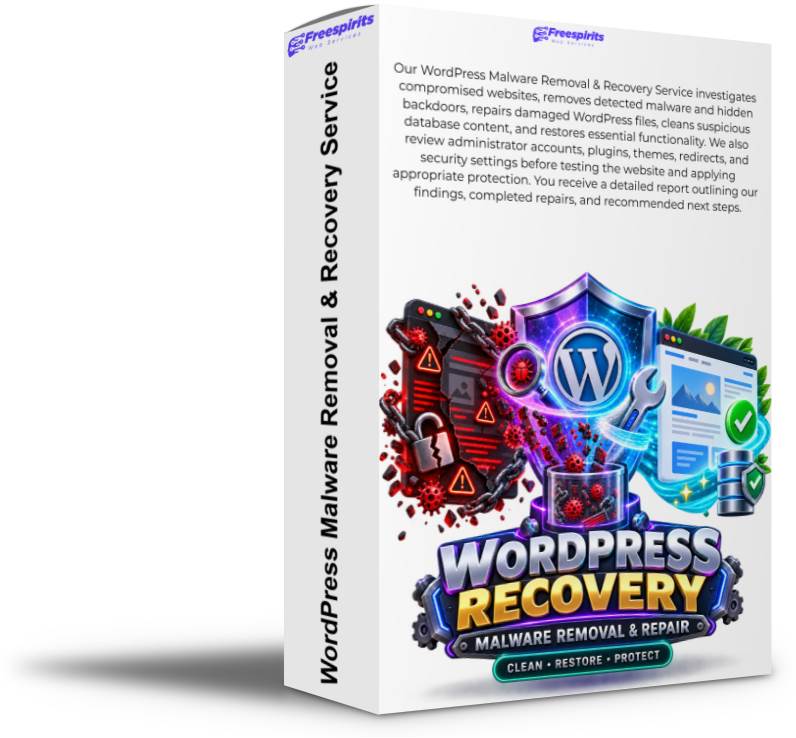
Nuestra WordPress Malware Removal & Recovery Service investigates compromised websites, removes detected malware and hidden backdoors, repairs damaged WordPress files, cleans suspicious database content, and restores essential functionality. We also review administrator accounts, plugins, themes, redirects, and security settings before testing the website and applying appropriate protection. You receive a detailed report outlining our findings, completed repairs, and recommended next steps.

A compromised WordPress website can damage your business, affect your visitors, interrupt sales, expose sensitive information, and harm the reputation you have worked hard to build.
Malware may redirect visitors to suspicious websites, create unauthorized administrator accounts, inject spam links, replace important files, send unwanted email, display fake content, or secretly remain inside the installation as a hidden backdoor.
Nuestra WordPress Malware Removal & Recovery Service helps you regain control of your website.
Freespirits Web Services will investigate the compromised installation, identify malicious files and database content, remove detected malware, repair damaged WordPress components, restore essential functionality, improve security, and provide a detailed report of the completed work.
The service is suitable for WordPress websites, blogs, company websites, membership platforms, WooCommerce stores, online catalogues, landing pages, and other WordPress-based projects.
Whether your website has been visibly hacked or you have discovered suspicious activity during a security scan, we can perform a structured technical investigation and help return the site to a clean and operational condition.
WordPress malware is not always immediately visible. Some attacks produce obvious changes, while others remain hidden for weeks or months.
Your website may require investigation if you notice:
.htaccess filesThese symptoms can have several causes, so proper investigation is important. A slow website does not automatically mean malware, and a clean-looking homepage does not guarantee that the installation is safe.
Our service examines the evidence and determines which components require attention.
The recovery process begins with an assessment of the website, alojamiento environment, and reported symptoms.
We review the information available and attempt to understand:
When access is available, we may review WordPress, website files, the database, logs, configuration files, installed extensions, and servidor settings relevant to the incident.
The depth of the investigation depends on the access provided, alojamiento environment, website size, available logs, and complexity of the compromise.
Before making important changes, we attempt to create or confirm an appropriate backup whenever the alojamiento environment and available storage allow it.
A backup of a compromised website is not considered a clean restoration point. However, it can preserve evidence and provide a recovery option if a necessary file is accidentally removed or if a damaged component must be examined again.
The backup may include:
If the website is very large, the alojamiento account is full, or the servidor is unstable, the available backup options may be limited. These conditions will be explained before major recovery work continues.
WordPress malware can hide in many locations.
Attackers may modify legitimate files, add new files with innocent-looking names, place executable code in upload folders, create hidden directories, or use obfuscated code that is difficult to recognize.
We inspect relevant areas of the installation, including:
.htaccess rulesindex.php filesThe process can combine malware scanning, file comparison, pattern detection, timestamp analysis, manual code inspection, and comparison with trusted WordPress packages.
Suspicious code may include:
Detected malicious files are removed, quarantined, or replaced according to the needs of the installation.
Attackers frequently modify WordPress core files because these files are loaded throughout the website.
Where appropriate, damaged core files can be replaced with clean copies from the correct WordPress release. This helps restore the expected WordPress structure without affecting your content, media, tema settings, or database.
Core repair may include:
wp-config.phpUpdates are performed carefully because older temas o plugins may not be compatible with newer WordPress or PHP versions.
If a major version update could create compatibility problems, we will explain the situation and recommend a suitable next step.
Outdated, abandoned, vulnerable, pirated, or malicious plugins y temas are frequent entry points for WordPress attacks.
We review the installed extensions and look for:
Where possible, compromised plugins o temas can be replaced with clean copies from their legitimate source.
Premium plugins y temas require valid licences or clean installation packages supplied by the client. We cannot legally obtain commercial software without authorization.
Custom temas y plugins require additional care. Files cannot simply be replaced if doing so would remove custom functionality. Depending on their size and condition, detailed custom-code repair may require a separate quotation.
Not all WordPress malware is stored in files.
Malicious content may also be injected into the database. This can include unauthorized users, spam links, hidden JavaScript, redirect code, fake posts, suspicious options, and altered configuration values.
Database investigation may include reviewing:
Detected malicious entries are removed or corrected while preserving legitimate website data.
Database cleanup must be completed carefully. Removing the wrong value can break the website or erase important settings. For this reason, suspicious content is evaluated in context before it is changed.
Attackers may create new WordPress administrators or modify existing users to maintain access.
We review administrator accounts and relevant permissions for unexpected changes.
The process may include:
All legitimate administrators should use new, unique passwords after a compromise.
Passwords should also be changed for connected services, including alojamiento, FTP, SSH, databases, email accounts, domain management, Cloudflare, and third-party integrations whenever those credentials may have been exposed.
Deleting the visible malware is not enough if a hidden backdoor remains.
A backdoor allows an attacker to return after the obvious infection has been removed. It may be located inside a plugin, tema, upload folder, cache directory, WordPress core file, scheduled task, database entry, or servidor configuration.
Our investigation looks for common persistence mechanisms such as:
The ability to identify every persistence mechanism depends on the scope of access.
If the compromise extends beyond the individual WordPress website into the alojamiento account, control panel, operating system, or other websites, a wider servidor-level investigation may be necessary.
Some WordPress infections are designed to redirect visitors or manipulate search results.
The website may appear normal to the administrator while displaying spam content to search engines, mobile users, or visitors arriving from specific sources.
We investigate redirects and spam injections that may be located in:
.htaccessSpam content may include pharmaceutical pages, gambling links, fake product pages, adult content, financial scams, or unrelated search keywords.
After cleanup, search engines may require time to recrawl the website and remove previously indexed spam pages.
A compromised WooCommerce store requires special care because it may contain customer details, orders, payment integrations, product information, and business-critical functionality.
Our recovery process can include checking:
We focus on restoring website functionality without unnecessarily affecting orders, products, customer records, or legitimate settings.
If there is evidence that personal information or payment-related data may have been exposed, the website owner should seek appropriate legal and data-protection advice. Technical cleanup does not replace regulatory or legal obligations.
Malware removal can reveal damage caused by the attack, previous cleanup attempts, outdated extensions, or deleted files.
After cleaning the installation, we test essential website functions where access and project scope allow.
Testing may include:
If unrelated problems already existed before the incident, additional development work may be required.
The objective is to return the website to a stable and usable condition while identifying any remaining issues that fall outside the malware-removal scope.
After cleanup, we apply or recommend appropriate security improvements to reduce the risk of reinfection.
Hardening may include:
Security settings are selected according to the website’s functionality. Aggressive blocking rules can interfere with forms, APIs, ecommerce functions, mobile applications, or external integrations, so changes must be tested.
Compromised websites may be flagged by browsers, search engines, security services, or alojamiento providers.
After the malware has been removed, we can assist with identifying active warnings and preparing the website for a review request where appropriate.
Possible actions may include:
External companies control their own review processes. Therefore, warning removal and approval times cannot be guaranteed.
After the recovery work, you receive a report describing the main findings and completed actions.
Depending on the incident, the report may include:
Sensitive information, passwords, and exploitable technical details may be excluded or partially hidden for security reasons.
The report gives you a clear overview of what was discovered and how the website was repaired.
To investigate and recover the website, we may require:
The exact access required depends on the incident and alojamiento medio ambiente.
Temporary credentials can be created where possible. After the work is completed, passwords should be changed and unnecessary temporary accounts removed.
Every WordPress compromise is different.
The required work depends on:
A small website with a limited infection may be recovered relatively quickly. A large WooCommerce store containing custom code, several hidden backdoors, and a compromised alojamiento account may require a more extensive investigation.
Representative information or security reports help us evaluate the incident and provide an appropriate quotation.
The standard service covers investigation and repair of the agreed WordPress installation.
Additional work may be required when:
No security service can guarantee that a website will never be attacked again.
Future security depends on ongoing updates, secure passwords, reliable alojamiento, correct permissions, trusted software, appropriate backups, and regular monitoring.
A compromised website should be investigated as soon as possible.
Leaving malware active can allow attackers to create additional backdoors, damage more files, misuse servidor resources, affect visitors, distribute spam, or compromise other websites within the same alojamiento cuenta.
Con el WordPress Malware Removal & Recovery Service, Freespirits Web Services will help you regain control of your website, remove detected threats, repair the WordPress installation, restore essential functionality, and strengthen the website against future attacks.
Contact us today with your website address and any security warnings, screenshots, alojamiento notifications, or scan results you have received. We will review the available information, explain the recommended recovery process, and help return your WordPress website to a clean, secure, and operational state.
¿Aún no está seguro?
Ver increíbles características adicionales y detalles


199,00 € El precio original era: 199,00 €.49,00 €El precio actual es: 49,00 €.