Índice
- Introducción
- 1. A.I. Tool Detective
- 2. Video Playlists
- 3. Video Chapters
- 4. In-Video Lead Capture Overlays
- 5. In-Video Forms via Fluent Forms Layer
- Inline Branding and Customization
- 7. Multi-Source Hosting and Playback
- Conclusión
- Preguntas frecuentes
Introducción
Overview of FluentPlayer and conversion-focused video experiences
FluentPlayer is a fast, native WordPress video and audio player designed to do more than play media. It can host videos from your WordPress library, YouTube, or Vimeo and add interactive elements that drive action without forcing viewers to leave the page. The platform integrates with Fluent Forms, FluentCRM, and FluentCommunity, creating a cohesive workflow for collecting leads and guiding viewers along the customer journey.
What sets FluentPlayer apart is its shift from passive playback to conversion-focused experiences. You can layer in in-video forms, lead captures, and targeted CTAs that appear at precise moments. For marketers, educators, and course creators, this means turning attention into measurable outcomes instead of just views.
Why video interactivity drives engagement and conversions
Interactive videos keep viewers engaged longer by offering opportunities to respond, sign up, or request more information while the content is fresh in their minds. This reduces drop-off and nurtures a smoother path from interest to action.
In practice, interactive layers such as forms or CTAs placed directly in the video experience can boost completion rates and capture rates. The result is clearer analytics, faster lead generation, and a stronger brand impression on each viewing session.
1. A.I. Tool Detective
Why our brand analyzes tools for marketing and lead generation
We built A.I. Tool Detective to provide practical, accountable assessments. Our reviews emphasize real-world performance, data-backed results, and tangible implications for marketers, sales teams, and educators. You’ll see how tools function in lead generation, conversion tracking, and content impact without hype.
Transparency guides our process. We include metrics such as read time, views, and completion rates where available, and explain what those numbers mean for your campaigns. This helps you compare features with confidence rather than guessing what moves the needle.
What this feature means for FluentPlayer users
For FluentPlayer users, A.I. Tool Detective offers a grounded lens on how FluentPlayer fits into your funnel. You’ll gain clear insights into how in-video forms, CTAs, and lead captures translate to qualified leads and measurable engagement.
Expect practical takeaways like recommended form timings, credible use cases, and potential tradeoffs. The aim is to help you implement FluentPlayer enhancements with clarity and avoid overpromising results.
2. Video Playlists
How structured playlists guide viewers through content
FluentPlayer playlists break long video sessions into a coherent sequence. Viewers can resume where they left off, jump to relevant chapters, and follow a clear progression without losing context. This structure reduces drop-offs and supports steady watch-through, which is especially helpful for multi-lesson courses or series.
Playlists function across self-hosted videos, YouTube, and Vimeo sources, delivering a consistent experience whether you host content in WordPress or on external platforms. The result is a predictable, brand-consistent viewing journey that mirrors professional curricula or episodic formats, making it an essential aspect of video content creation.
Use cases for education, marketing, and entertainment
- Education: Organize modules into units with explicit lesson order and progress tracking for learners.
- Marketing: Present a guided product narrative from introduction to case studies, with CTAs at key moments.
- Entertainment: Build series playlists that enable binge viewing while maintaining episode boundaries and navigation.
3. Video Chapters
Implementing chapters for seamless navigation
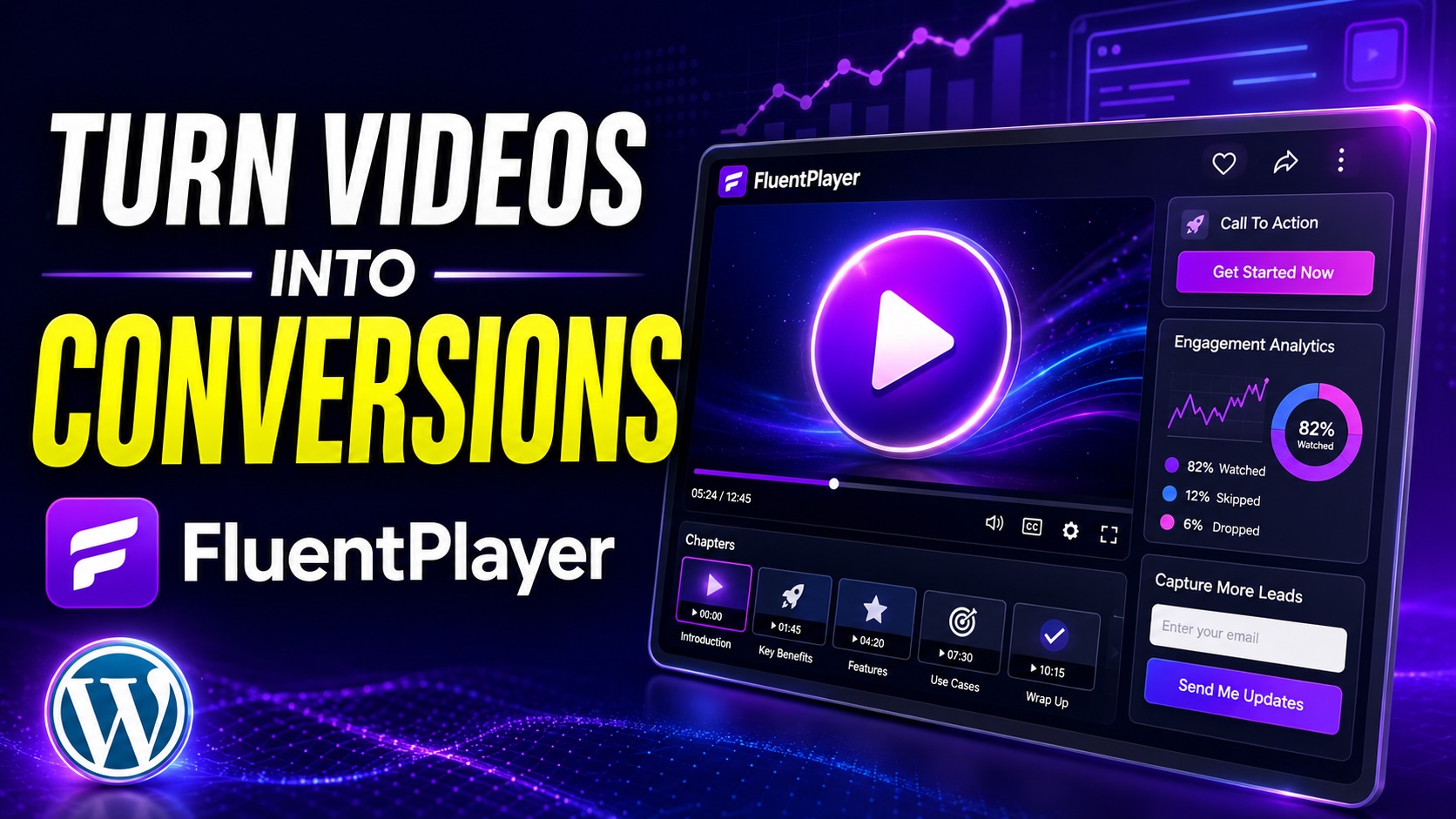
FluentPlayer enables adding chapters that segment a video into clear, clickable sections. Viewers can jump directly to the topic or module they need, reducing friction and improving the viewing experience. Chapters support skimming and allow viewers to resume where they left off without scrolling or guessing.
Chapters synchronize across self-hosted videos, YouTube, and Vimeo sources, delivering a consistent navigation model regardless of where the footage originates. This continuity reinforces a professional brand experience on every page.
Enhancing retention with step-by-step segments
Dividing content into logical steps keeps attention aligned with the intended narrative. Each chapter serves as a milestone, potentially boosting completion rates and information retention. For educators, this mirrors curriculum structure; for marketers, it supports a progressive video content creation narrative.
Chapter metadata can be styled to reflect your branding and may include titles that clearly state the next topic or action. This clarity helps viewers plan their viewing path and reduces mid-video drop-offs.
4. In-Video Lead Capture Overlays
Designing effective CTAs within the player
In-video overlays place CTAs directly where viewers are already engaged, reducing friction to act. Use concise copy, a prominent but not intrusive button, and a clear next step. Timing matters: deploy CTAs at moments of peak attention, such as after a key point or demonstration.
Choose visuals that align with your branding and video content. Color contrast and readable typography help ensure the overlay remains legible across devices. A lightweight animation can draw attention without distracting from the video itself.
Balancing UX with conversion goals
- Limit overlays to a small number per video to avoid viewer fatigue.
- Offer value on click, such as a free template, sample download, or webinar signup.
- Provide an opt-out option to preserve viewing flow if the viewer is not ready to convert.
FluentPlayer supports overlay layers that stay non-intrusive while still capturing intent signals. This balance helps you gather leads without compromising the viewing experience. Used thoughtfully, overlays can boost engagement and improve lead quality.
5. In-Video Forms via Fluent Forms Layer
Bridging video viewing with data capture
FluentPlayer provides a native Fluent Forms layer that lets viewers submit information without leaving the video. This seamless bridge turns engagement into actionable data, capturing leads at the moment of interest. The form layer sits atop or beside the video content, preserving the viewing experience while enabling signups, registrations, or inquiries in real time.
How to optimize form placement and timing
- Place forms at natural listening points, such as after a key benefit or demo, to maximize relevance.
- Use progressive disclosure to collect essential details first, then request more in follow-up interactions.
- Test multiple timings to identify moments with the highest completion rate without interrupting flow.
- Keep fields concise and contextually tied to the video content to improve trust and completion.
Con el Fluent Forms layer, you can tailor form behavior to the video narrative. This includes conditional fields, inline validation, and smooth transitions that respect the viewer’s momentum. The result is higher quality leads and a clearer path from viewing to action.
Inline Branding and Customization
Branding controls to reinforce trust
FluentPlayer offers branding options that align the video experience with your verified brand identity. You can upload a logo, set a brand color for the control bar, and choose a poster image that matches your visuals. This alignment helps viewers recognize your content quickly and engage more confidently with your media.
Consistent appearance across pages and devices
The customization engine maintains a uniform look whether your videos appear on a landing page, a course module, or an ecommerce product page. By standardizing the player chrome, overlays, and typography, you create a cohesive brand journey from desktop to mobile. The result is a predictable viewing experience that supports trust and recognition.
- Logo placement that remains unobtrusive yet visible
- Brand color control for the entire player UI
- Poster and thumbnail customization for first impressions
7. Multi-Source Alojamiento and Playback
Streaming from self-hosted, YouTube, Vimeo, and more
FluentPlayer supports a flexible mix of video sources. You can serve content from your WordPress media library, integrate YouTube or Vimeo embeds, and leverage external alojamiento options like BunnyCDN or Mux. This versatility helps you balance control, compliance, and cost while preserving a consistent viewing experience.
Benefits for reliability and performance
- Redundancy across sources reduces the risk of a single point of failure
- Optimized load paths help pages render faster by selecting the best source for each viewer
- CDN-backed playback improves global delivery and lowers buffering
- Self-hosted options give you ownership of content and monetization strategies
- Source switching remains seamless for viewers, preserving engagement and flow
Practically, mix sources to fit your audience. For a lecture series, use self-hosted video for core content and YouTube for supplementary clips. For a product demo, streaming from BunnyCDN can handle peak traffic while keeping a consistent brand experience.
Conclusión
Key takeaways on turning video into conversions
FluentPlayer transforms video into an active conversion surface. By leveraging in-video forms, overlays, and native integrations with Fluent Forms y FluentCRM, you can capture intent without disrupting the viewing flow. The platform supports multiple sources, allowing you to tailor delivery for reliability and performance while preserving your brand identity.
Next steps to implement FluentPlayer enhancements
- Map viewer milestones to in-video actions, such as key benefits or demo moments, to time CTAs effectively.
- Experiment with the Fluent Forms layer to balance data capture and viewing continuity; start with concise fields.
- Integrate branding controls early to ensure a consistent experience across pages and devices.
- Test multi-source playback setups to identify the best balance of performance, cost, and reliability for your audience.
Preguntas frecuentes
What platforms does FluentPlayer support?
FluentPlayer works with self-hosted video in WordPress and can embed videos from YouTube and Vimeo. It also supports additional delivery via external alojamiento options. This setup provides flexibility to choose where your video content lives while keeping the same viewer experience.
How does in-video lead capture impact UX?
In-video lead capture layers appear as part of the playback experience, allowing viewers to respond to a CTA without leaving the video. When timed thoughtfully, this reduces drop-offs by delivering a relevant action at a natural moment in the narrative. It’s important to keep forms concise and avoid overloading the screen during key moments.
What reporting is available in the pro version?
The pro version adds analytics tied to video performance and conversion events. You can track which CTAs are engaged, monitor completion rates, and observe how overlays influence viewer actions across different videos and playlists.