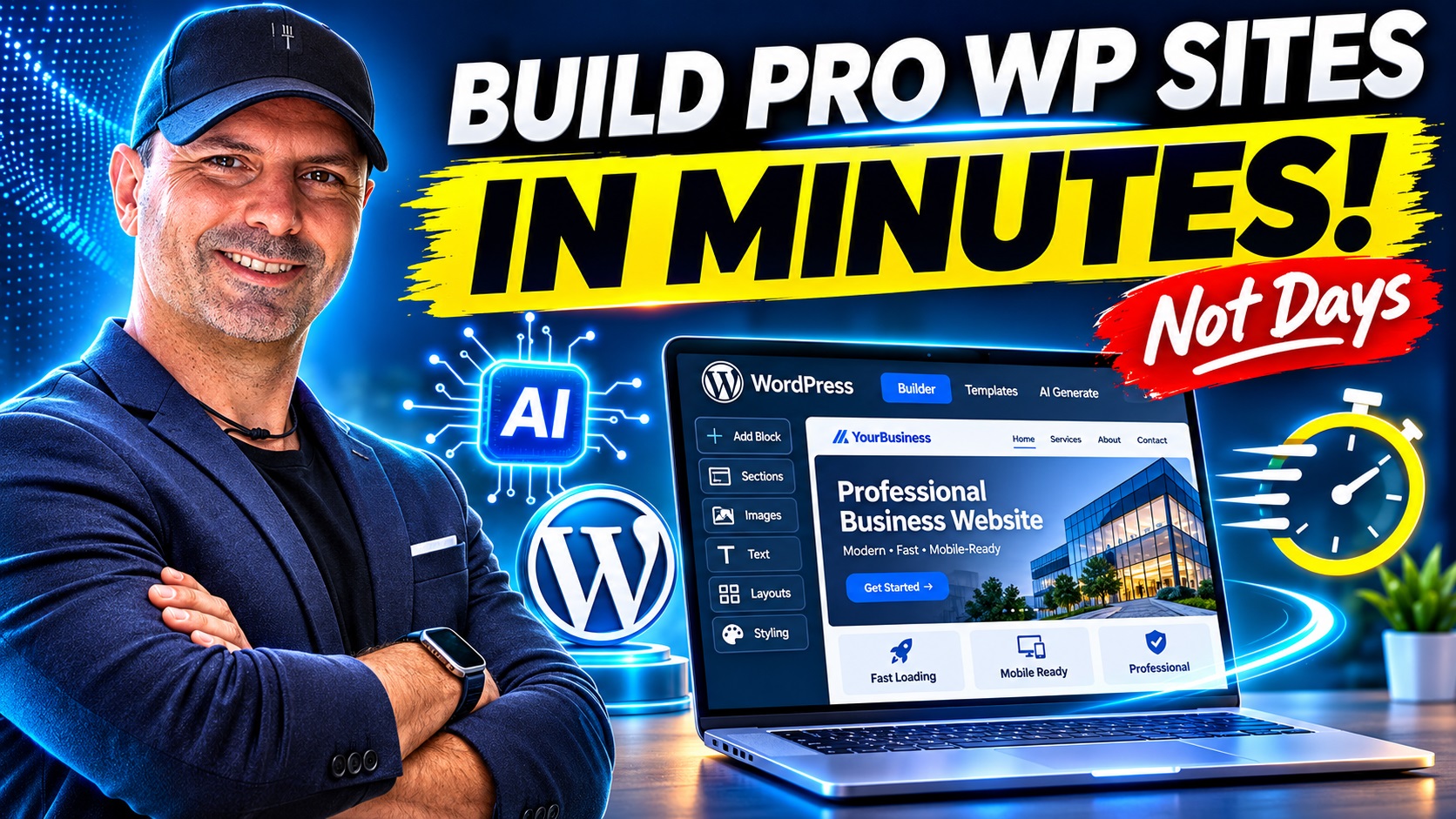
Can artificial intelligence really redesign an existing WordPress website automatically? In 2026, the answer is increasingly yes.
Imagine opening ChatGPT, connecting your existing WordPress website, and simply asking:
“Analyze my website, improve the homepage layout, modernize its typography, optimize the navigation, strengthen the calls to action, and make the entire website more professional without losing my existing content.”
Instead of receiving only design suggestions or code snippets, you can now use an AI assistant to interact with WordPress itself, inspect website information, and make supported changes through a secure connection.
This is a significant development for website owners, bloggers, marketers, small businesses, freelancers, and digital agencies.
Historically, redesigning a WordPress website involved selecting a Thema, configuring its settings, adjusting page templates, and sometimes hiring a developer or designer. The process could require considerable time, particularly when dealing with an established website containing years of content.
AI-assisted WordPress editing introduces a different approach: describe the outcome you want, let the assistant inspect the existing website, review its recommendations, and authorize the changes.
In this comprehensive guide, we’ll explore how ChatGPT integrates with WordPress.com, what Model Context Protocol (MCP) means, how to connect your website, how to improve its design and SEO, and how to develop a repeatable AI-powered website optimization workflow.
We’ll also examine the limitations, security implications, and practical precautions that every website owner should understand.
1. The Evolution of AI-Powered WordPress Website Design
Artificial intelligence has been involved in website creation for several years. Early AI website builders primarily generated new websites from written descriptions.
You could tell a website builder that you owned a restaurant, for example, and it would produce a homepage, menu section, contact page, and basic visual design.
Although impressive, these systems had an important limitation: they were mainly focused on creating websites from scratch.
What if you already owned a WordPress website?
What if that website contained hundreds of blog posts, established search engine rankings, existing customers, affiliate links, custom navigation, and important business information?
Starting over could introduce significant risks.
An established website may have valuable assets that should not be discarded:
- Existing pages indexed by Google.
- Organic search visibility built over several years.
- Internal links and established URL structures.
- Customer inquiries and conversion pathways.
- Affiliate marketing content and tracking links.
- Brand identity and recognizable visual elements.
- Images, videos, and valuable educational resources.
Modern AI-powered WordPress workflows can work with these existing assets rather than automatically replacing them.
Through supported integrations, an AI assistant can inspect website information, identify improvement opportunities, update compatible page elements, and help modernize the site’s presentation.
This changes the role of AI from a basic content generator into a practical website management assistant.
2. What Makes the WordPress.com and ChatGPT Integration Different?
The major technology behind this workflow is called Model Context Protocol, commonly abbreviated as MCP.
MCP is an open standard that allows AI applications to communicate with external tools, services, and information sources.
Think of it as a bridge between ChatGPT and your WordPress website.
Without an integration, ChatGPT can analyze public website pages, recommend improvements, write replacement content, and generate code. However, it cannot automatically apply those changes to a private WordPress dashboard simply because you provided the website’s URL.
With an authorized WordPress connection, the workflow becomes much more capable.
Depending on the available permissions and tools, ChatGPT can interact with website information and perform supported operations.
These may include:
- Retrieving website information and settings.
- Reading existing pages and posts.
- Creating and editing WordPress content.
- Inspecting the active Thema.
- Searching compatible WordPress Themen.
- Activating a different Thema.
- Updating supported global design styles.
- Editing compatible templates and template parts.
- Modifying navigation and site structure.
- Managing media information, including image alt text.
- Reviewing available website statistics.
The important difference is that the assistant can perform actions instead of merely describing how a human administrator should perform them.
For businesses managing multiple websites, this can reduce repetitive administrative work considerably.
Is MCP the same as giving ChatGPT your WordPress password?
No.
The official WordPress.com MCP integration uses an authorization process rather than requiring you to paste your WordPress password into an ordinary chat message.
You sign in through WordPress.com’s authorization interface and choose the access permissions available to the connected assistant.
This separation matters because website management tools may have permission to change content, settings, or design elements.
Access should always be granted intentionally and limited to the tasks you actually want the AI to perform.
3. WordPress.com vs. Self-Hosted WordPress: Which Websites Are Supported?
Before beginning, it’s important to understand the difference between WordPress.com and WordPress.org.
WordPress.com websites
WordPress.com is a managed website Hosting platform built around WordPress.
It provides website Hosting, account management, publishing tools, Themen, and various integrated services.
WordPress.com offers an official MCP connection that allows compatible external AI assistants, including ChatGPT, to interact with authorized websites.
As of November 2026, MCP access is included with paid WordPress.com plans. Free WordPress.com sites also have access through November 30, 2026, according to the currently published policy.
You should check the latest eligibility requirements before setting up the integration, as plans and feature availability may change.
Self-hosted WordPress websites
Self-hosted WordPress websites use WordPress software installed on independent Hosting infrastructure.
These may run on shared Hosting, VPS servers, dedicated servers, or managed WordPress Hosting services.
WordPress.com also supports MCP access for eligible self-hosted websites connected through Jetpack.
According to the November 2026 documentation, self-hosted Jetpack-connected sites can access MCP without a qualifying Jetpack plan through November 30, 2026. Continued access may depend on the applicable plan after that date.
For self-hosted websites, Plugin compatibility, permissions, installed Themen, und Hosting configurations can affect what an AI assistant can safely modify.
The key takeaway: A WordPress.com account can serve as the connection point for eligible WordPress.com websites and certain Jetpack-connected self-hosted websites.
However, not every website will expose exactly the same capabilities.
4. How to Connect ChatGPT to WordPress.com: Step-by-Step Tutorial
Let’s walk through the actual connection procedure.
Step 1: Sign in to your WordPress.com Konto
Visit:
Sign in with the WordPress.com account that manages the website you want to improve.
You should see the websites associated with your account.
Identify the correct website before continuing, especially if you manage several domains.
For example, you might have a company website, a personal blog, and an affiliate marketing website under the same account.
Keep their identities separate throughout the process.
Step 2: Open the AI and MCP settings
Navigate to your WordPress.com account preferences.
The direct settings address is:
Look for the section labeled AI and MCP.
Dies ist der Ort, an dem WordPress.com manages external AI-agent access and the tools those agents are permitted to use.
You can configure account-wide access or enable MCP for a specific website.
For website owners managing multiple domains, site-specific access is usually the safer starting point.
Step 3: Enable MCP access for your chosen website
WordPress.com allows you to control which websites and tools an external AI assistant can access.
For a single-site redesign, consider leaving account-wide MCP access disabled and using the option to add access for a specific site.
Then configure the appropriate read and write capabilities.
Read permissions allow an AI assistant to inspect information such as website content, settings, and statistics.
Write permissions allow supported changes to be made.
For an initial audit, read-only access is often sufficient.
After you review the proposed improvements, you can enable only the write capabilities necessary for the redesign.
Important: Enabling account-wide MCP access may activate read and write tools by default. Review these settings carefully rather than assuming every connection begins in read-only mode.
Step 4: Install the WordPress Plugin in ChatGPT
Open ChatGPT and find the official WordPress Plugin.
You can also begin from WordPress.com’s AI and MCP settings, where connection options are provided for supported AI assistants.
Select ChatGPT and follow the installation instructions.
During authorization, WordPress.com may offer options such as:
- Full access: Enables the supported read and write capabilities.
- Read only: Allows ChatGPT to inspect website information without performing write operations.
- Keep existing access: Preserves previously customized MCP permissions when that option is available.
Choose the level appropriate for your current task.
An important detail is that the selected access mode can affect the WordPress.com account’s MCP tool settings, including those used by other connected agents.
Therefore, review your permissions after completing authorization.
Step 5: Authorize the connection
Follow the WordPress.com sign-in and authorization prompts.
You do not need to provide your password directly to ChatGPT.
Once authorized, the connection becomes available through the WordPress Plugin, subject to your enabled permissions.
Step 6: Start a conversation with your website
In ChatGPT, invoke the WordPress Plugin by typing:
@WordPress
Now you can begin with a simple request:
Show me the WordPress websites connected to my account. Identify their active Themen and provide a summary of their main pages. Do not make any changes yet.
This initial request confirms which websites are available and helps prevent accidental edits to the wrong domain.
After identifying the correct website, you can proceed with a more detailed audit.
5. Start with an AI Website Audit Before Changing Anything
One of the biggest mistakes in website redesign is changing the appearance before understanding what already works.
A visually attractive website is not necessarily an effective website.
A successful redesign should consider usability, content quality, business objectives, mobile compatibility, and search engine visibility.
Before allowing AI to modify your website, ask it to evaluate the current structure.
Example AI website audit prompt
Analyze my existing WordPress website at [YOUR DOMAIN]. Review the homepage structure, navigation, content hierarchy, typography, available site statistics, Thema configuration, and conversion opportunities. Identify what should be improved, explain the expected benefits, and create a prioritized redesign plan. Preserve all existing content and URLs. Do not modify anything until I approve the plan.
This prompt establishes several useful boundaries.
First, it asks for an analysis rather than immediate modification.
Second, it identifies the areas that matter most to website performance.
Third, it instructs the assistant to preserve existing assets.
Finally, it requires approval before implementation.
What should the audit identify?
The audit should evaluate whether visitors can quickly understand the website’s purpose.
A good homepage should answer three basic questions:
- What does this website offer?
- Why should I trust it?
- What should I do next?
For an affiliate marketing website, the desired action might be reading a product review or visiting a recommended tool.
For a Hosting provider, it might be comparing Hosting plans or requesting technical assistance.
For a local business, it might be submitting a contact form or making an appointment.
These objectives should influence the website’s layout and calls to action.
AI can help identify weaknesses, but business strategy and human judgment remain essential.
6. Redesign the Homepage with ChatGPT AI
The homepage is often the most important starting point for a website redesign.
It establishes the first impression, introduces the brand, and directs visitors toward relevant information.
An effective AI-assisted homepage redesign typically focuses on several essential components.
Create a stronger hero section
The hero section is the prominent area visitors see near the top of the homepage.
It commonly includes a main headline, supporting text, visual element, and primary call-to-action button.
A weak hero section might say:
“Welcome to Our Website.”
Although friendly, this headline communicates very little.
A stronger version for a web Hosting provider might say:
“Reliable European Web Hosting for Businesses That Need Performance and Support.”
The supporting text can explain the practical benefits, while a prominent button directs visitors toward Hosting plans.
ChatGPT can help rewrite this section around the target audience and the business’s positioning.
Improve the page’s visual hierarchy
Visitors should be able to scan a homepage quickly.
A logical structure may include:
- Main value proposition and primary CTA.
- Important services or product categories.
- Key benefits and differentiators.
- Trust indicators and genuine customer feedback.
- Featured content or popular resources.
- Frequently asked questions.
- Final conversion opportunity.
AI can help reorganize compatible WordPress blocks to create a more logical reading experience.
However, any site-wide template changes should be reviewed carefully because they may affect multiple pages.
Example homepage redesign prompt
Improve the homepage of [YOUR DOMAIN] for a professional, modern, conversion-focused appearance. Keep existing branding and content unless a rewrite is explicitly approved. Create a clear hero section, improve heading hierarchy, organize services into readable sections, add relevant calls to action, and maintain a responsive layout. Explain all planned changes before applying them.
For a website focused on lead generation, this approach is usually more useful than simply requesting a beautiful design.
The goal is not decoration.
The goal is helping visitors understand the offer and take the next step.
7. Can ChatGPT Change the WordPress Theme Automatically?
Yes, supported WordPress.com MCP tools can inspect installed Themen, search available block Themen, and activate compatible Themen.
This is an important capability, but it should be used carefully.
Changing a WordPress Thema may affect the appearance of the entire website.
Even when the content remains intact, the visual presentation of headers, footers, templates, menus, and page sections can change.
Before switching Themen, ask ChatGPT to identify the currently active Thema.
Then request recommendations based on your website’s needs.
Example Thema evaluation prompt
Identify my current WordPress Thema and evaluate whether it supports a modern, mobile-friendly, conversion-focused website. Research compatible block Themen available to my site and compare their suitability for my existing content. Do not activate another Thema until I approve the choice.
For many established websites, improving the existing Thema is preferable to immediately replacing it.
Changing global colors, typography, spacing, and compatible page templates may provide a significant visual improvement without introducing unnecessary disruption.
Why block Themen matter
Modern WordPress block Themen are designed to work with WordPress’s Site Editor.
They support editing website templates and reusable design components through blocks.
This can make AI-assisted visual changes more flexible.
Classic Themen operate differently, and some AI editing experiences may not be available.
Before planning a redesign, determine which Thema architecture your website uses.
8. Improve Typography, Colors, Header, Footer, and Navigation
An effective website design creates consistency.
Inconsistent font sizes, unrelated colors, crowded navigation menus, and poorly spaced sections can make a website feel less professional.
These weaknesses are common on websites that have been expanded gradually over several years.
Typography improvements
Typography affects readability, visual hierarchy, and perceived professionalism.
Ask ChatGPT to evaluate whether headings, body text, buttons, and supporting descriptions follow a consistent system.
For most business websites, a restrained typography system is preferable to using many competing font families.
Readability should remain a priority, particularly on mobile devices.
Color system improvements
A consistent color palette helps establish visual identity.
The website should use recognizable colors for important actions without making every element equally prominent.
AI can recommend accessible color combinations, but contrast should be checked rather than assumed.
Header improvements
A useful header should make navigation predictable.
Visitors should be able to locate the main service categories, essential information, and contact options.
For an affiliate website, navigation could emphasize software categories, comparisons, reviews, and educational guides.
For a service provider, navigation might prioritize services, pricing, support, and contact information.
Footer improvements
The footer is an opportunity to provide useful navigation and business information.
Depending on the website, it may contain contact details, important service links, privacy information, company details, and social profiles.
Avoid adding unnecessary elements simply to make the footer appear larger.
Example global styling prompt
Review my WordPress site’s existing design system. Recommend a professional typography scale, accessible color palette, consistent button styling, improved section spacing, and clearer navigation. Preserve brand identity. Make only the specific style changes I approve and provide a way to restore the previous settings.
This creates a practical and controlled approach to modernizing the website.
9. Improve WordPress SEO with ChatGPT
Search engine optimization is another important opportunity for AI-assisted WordPress management.
However, SEO requires a different mindset from visual design.
A better-looking website does not automatically achieve higher Google rankings.
Search performance depends on many factors, including search intent, useful content, technical Zugänglichkeit, indexing, competition, links, and user experience.
AI can assist with the process, but it cannot guarantee search engine results.
Improve page titles and headings
One useful task is reviewing existing page titles and headings.
Each important page should have a clear purpose and a primary topic.
For example, an unclear title such as:
“Our Solutions”
could become:
“Managed WordPress Hosting and Website Support Services”
if that accurately reflects the page.
A descriptive title helps readers understand the content and can improve topical clarity.
Improve meta descriptions
Meta descriptions can provide a useful summary of page content in search results, although Google may generate different snippets.
ChatGPT can propose descriptions that accurately represent each page and encourage qualified clicks.
An example prompt is:
Review my five most important landing pages and suggest improved SEO titles and meta descriptions based on their actual content and target audiences. Avoid keyword stuffing, exaggerated claims, and misleading promises. Do not publish changes without approval.
Whether the assistant can save metadata directly depends on the available WordPress tools, settings, and installed SEO features.
Improve internal linking
Internal links help visitors discover related information.
They also help search engines understand relationships between pages.
An AI-assisted audit can identify important pages that receive too few internal links, outdated references, or opportunities to connect related articles.
For a technology review website, an article about AI video generators might link to relevant comparison guides, tutorials, and individual product reviews.
Links should be contextually useful rather than inserted only for search engines.
Improve image alt text
Alternative text is primarily an Zugänglichkeit feature.
It helps explain meaningful images to visitors using assistive technologies.
AI can assist with alt text suggestions, but descriptions must match the actual image.
Zum Beispiel:
“WordPress dashboard displaying the active Thema and website editing controls”
is useful when that is genuinely what the screenshot shows.
A generic description packed with keywords is not.
Decorative images may not require descriptive alt text.
Preserve existing URLs
This is one of the most important precautions during an SEO-focused redesign.
If a page already receives search traffic, changing its URL unnecessarily can introduce avoidable problems.
A design improvement does not generally require changing permalinks.
If URLs must change, proper redirects and link updates should be planned and verified.
Never instruct an AI agent to reorganize every URL automatically without reviewing the consequences.
10. Use AI to Improve Conversion Rates, Not Just Appearance
A professional website should support a measurable business objective.
For some websites, that objective is selling products.
For others, it is generating inquiries, encouraging newsletter subscriptions, increasing qualified affiliate clicks, or directing readers toward useful content.
AI-assisted redesign offers an opportunity to evaluate these conversion pathways.
Calls to action
A call to action should clearly communicate the next step.
Generic buttons such as “Click Here” often provide less context than descriptive alternatives.
Depending on the website, stronger options might include:
“Compare Hosting Plans”
“Explore AI Software Reviews”
“Request a Free Consultation”
“Read the Complete Tutorial”
The best CTA depends on the actual offer and visitor intent.
Trust and credibility
Trust can be supported by clear contact information, accurate business descriptions, genuine testimonials, transparent policies, and evidence of expertise.
For affiliate marketing websites, editorial transparency is particularly important.
Visitors should understand when content contains affiliate links and how recommendations are evaluated.
AI can help organize these elements, but it should never invent testimonials, customer numbers, awards, or performance claims.
Example conversion optimization prompt
Analyze the homepage of my WordPress website from a conversion-rate optimization perspective. Identify unclear offers, weak calls to action, unnecessary distractions, and trust gaps. Recommend improvements based on the site’s actual audience and business goals. Do not invent customer testimonials or business statistics.
The resulting recommendations can guide a redesign that supports meaningful business outcomes.
11. Optimize the Mobile Experience and Website Performance
A website can look impressive on a desktop monitor while remaining difficult to use on a smartphone.
Mobile usability deserves separate attention.
Common problems include oversized headings, awkward spacing, hard-to-tap navigation, buttons that extend beyond the screen, and images that disrupt the page layout.
AI can help identify responsive design issues and suggest adjustments.
However, visual changes still need testing in actual mobile and desktop viewports.
Core Web Vitals
Google’s Core Web Vitals provide useful measurements of real-world user experience.
Three important metrics are:
Largest Contentful Paint (LCP): Measures how quickly the main visible content loads.
Interaction to Next Paint (INP): Measures responsiveness to user interactions.
Cumulative Layout Shift (CLS): Measures unexpected visual movement.
An AI-generated redesign should not introduce unnecessarily heavy images, excessive scripts, or unstable layouts.
A modern appearance is valuable only when the website remains practical to use.
Suggested performance prompt
Review the public-facing performance and mobile usability of my WordPress homepage. Identify potential layout, image, navigation, and rendering problems. Recommend changes that preserve functionality and avoid unnecessary scripts. Separate confirmed findings from items that require further testing.
For accurate performance analysis, use appropriate measurement tools such as PageSpeed Insights and available browser testing tools.
Do not rely exclusively on an AI assistant’s visual impression.
12. WordPress’s Built-In AI Editor: Another Way to Improve Your Website
Connecting ChatGPT through MCP is not the only AI-assisted editing option available.
WordPress.com also provides its own WordPress Agent and AI Editor features for eligible websites.
The AI Editor allows users to describe modifications through a chat interface while viewing the website.
This is useful for people who prefer to work visually.
For example, you might request:
“Make this hero section more compact.”
“Increase the spacing between these cards.”
“Use a more professional heading style.”
“Improve the primary button’s visibility.”
The editor can apply supported changes to the site preview.
How to enable the AI Editor
According to WordPress.com’s documented procedure:
- Enable the WordPress Agent for your eligible website.
- Open your WordPress dashboard.
- Navigieren Sie zu Settings → Writing.
- Enable the AI-powered site building experience.
- Save your settings.
- Navigieren Sie zu Appearance → AI Editor.
The AI Editor requires a compatible block Thema and the appropriate feature access.
If your website uses a classic Thema, the AI Editor may not appear.
ChatGPT MCP vs. WordPress AI Editor
These approaches complement one another.
ChatGPT with MCP is useful for conversational site management, structured audits, content workflows, and supported remote website operations.
The built-in WordPress AI Editor is particularly helpful when you want to see layout changes in a visual editing environment.
A practical strategy is to use ChatGPT for planning and auditing, then use the most suitable WordPress editing interface to review design changes.
13. The Best AI Website Redesign Workflow: Audit, Plan, Apply, Verify
A reliable redesign should follow a controlled process.
Simply telling an AI assistant to “make everything better” may produce unpredictable results.
A structured workflow is more effective.
Phase 1: Baseline assessment
Document the website’s current condition.
Identify the active Thema, existing pages, important URLs, navigation structure, and available analytics.
Record the website’s current performance before making changes.
If possible, take screenshots of key pages in desktop and mobile layouts.
These establish a reference for comparing results.
Phase 2: SEO and conversion review
Identify the pages that attract visitors and support business goals.
Determine which content should remain unchanged, which pages need improvement, and where navigation is confusing.
Prioritize high-impact areas rather than redesigning everything simultaneously.
Phase 3: Design planning
Ask the AI assistant to propose specific improvements.
These might include typography, color combinations, homepage sections, header structure, footer navigation, and calls to action.
Review the recommendations before authorizing changes.
Phase 4: Backup and rollback preparation
Before significant modifications, establish a reliable way to restore the previous version.
WordPress.com provides an activity log, and backup restoration capabilities vary by plan.
Content revisions and trash recovery may help with certain changes, but they should not be treated as substitutes for a complete site backup.
Theme switches and global style modifications deserve particular caution because their effects can extend across the entire website.
Phase 5: Controlled implementation
Apply improvements in manageable groups.
For example, update typography first, then inspect the result.
Next, improve navigation and verify that links still work.
Then refine the homepage and review it on mobile devices.
This approach makes problems easier to identify and reverse.
Phase 6: Post-change verification
After each major change, inspect the live website.
Check that:
- The homepage loads correctly.
- Navigation links work.
- Important content remains available.
- Contact forms still function.
- Buttons lead to the correct destinations.
- Images display correctly.
- Mobile layouts remain usable.
- SEO titles and metadata remain appropriate.
- Existing URLs have not changed unexpectedly.
For websites with e-commerce features, memberships, bookings, or custom functionality, additional testing is essential.
Phase 7: Measure actual outcomes
Compare the website’s performance before and after the redesign.
Useful indicators include qualified organic traffic, engagement, form submissions, product inquiries, and conversions.
A redesign should be evaluated by results rather than appearance alone.
14. A Complete ChatGPT Prompt for Redesigning an Existing WordPress Website
One of the most useful techniques is providing the AI assistant with a clear, detailed brief.
The following prompt can serve as a reusable starting point.
Copy-and-paste WordPress AI redesign prompt
You are acting as a professional WordPress website designer, SEO specialist, Zugänglichkeit reviewer, and conversion optimization consultant.
Analyze my connected WordPress website: [INSERT WEBSITE URL].
My objective is to improve the website’s professional appearance, mobile usability, SEO structure, user experience, and conversion potential.
First, identify the active Thema, available editing capabilities, homepage layout, main pages, header, footer, navigation, and existing site-wide styles.
Review the existing content and preserve all published posts, pages, media, links, and URLs.
Evaluate the homepage’s visual hierarchy, headings, calls to action, content organization, and brand consistency.
Recommend improvements to typography, colors, spacing, page sections, navigation, and responsive presentation.
Assess SEO opportunities, including page titles, descriptions, heading structure, internal linking, and image Zugänglichkeit.
Do not invent business information, testimonials, statistics, prices, or product claims.
Do not delete content, change permalinks, replace the active Thema, install Plugins, or modify important site settings without explicit approval.
Create a prioritized implementation plan showing the expected benefit, risk level, and verification method for each change.
Before applying any modification, establish an appropriate rollback method.
After I approve each group of changes, implement only the approved actions using the WordPress tools available to you.
Finally, verify the affected pages and provide a detailed summary of completed changes, remaining limitations, and recommended next steps.
This kind of prompt is more effective than a vague instruction because it gives the assistant clear objectives, constraints, and success criteria.
It also creates a useful record of what the AI is authorized to do.
15. Can AI Fully Automate WordPress Website Management?
AI can automate a meaningful portion of WordPress website maintenance and optimization.
But fully autonomous management requires careful boundaries.
Some tasks are well suited to repeatable AI workflows.
For example, an assistant may help review older articles, organize content, identify weak pages, suggest internal links, draft new material, and analyze available traffic statistics.
Other tasks carry greater risk.
Automatically changing Themen, deleting content, modifying important settings, or replacing live page templates can affect visitors and business operations.
A responsible automation strategy distinguishes between low-risk and high-risk activities.
Low-risk automation opportunities
Content audits, proofreading suggestions, performance reporting, SEO opportunity analysis, and editorial planning are good starting points.
These tasks can provide value without requiring immediate public changes.
Medium-risk automation opportunities
Updating page copy, improving image descriptions, reorganizing blocks, and refreshing older articles may be appropriate when changes are reviewed.
The level of risk depends on the website.
High-risk automation opportunities
Theme replacement, major template changes, deleting content, changing URL structures, and modifying e-commerce functionality should require explicit approval and tested recovery procedures.
The best long-term strategy is controlled automation, not unrestricted automation.
An AI assistant should make website management easier while preserving the website owner’s control.
16. New WordPress AI Agent Skills Make the Workflow Even More Practical
Another important development is the introduction of reusable skills for WordPress.com AI-agent workflows.
Instead of treating every task as an unrelated instruction, a skill provides a predefined procedure for a common website management activity.
WordPress.com documents skills for tasks such as reviewing website readiness, auditing SEO, improving content, checking Zugänglichkeit, and changing website design with a recovery path.
For example, a design-oriented skill can record how to reverse changes before modifying compatible styles, templates, or Themen.
This is particularly useful because website redesign is rarely completed in one operation.
A professional workflow often requires several rounds of improvements.
An AI assistant might first inspect the homepage, then update the typography, review the navigation, and refine the CTA sections.
Reusable procedures can make these tasks more consistent.
Nevertheless, available skills, integrations, and plan requirements should be checked before assuming a specific workflow is supported.
17. Why This Matters for Digital Marketers, Freelancers, and Website Agencies
AI-powered WordPress management offers opportunities beyond individual website improvement.
For digital marketers, the technology can reduce time spent navigating administrative interfaces and preparing routine content updates.
For freelancers, it can accelerate website audits and provide a structured starting point for redesign projects.
For agencies, AI-assisted workflows can help standardize quality checks across multiple client websites.
Consider a small agency managing 30 WordPress websites.
Traditionally, reviewing navigation, content quality, metadata, and design consistency across these sites could require many separate administrative sessions.
An authorized AI integration can simplify certain information-gathering and editing tasks.
However, client websites must remain isolated from one another.
Access permissions should follow each client’s authorization, and private content should not be shared across projects without permission.
A potential new professional service
Agencies can also package AI-assisted website improvement as a professional service.
An offering might include an initial website audit, redesign recommendations, approved implementation, mobile verification, basic SEO optimization, and a final quality report.
The value lies not simply in using AI.
It lies in combining AI efficiency with professional judgment, accountability, and measurable business objectives.
Clients ultimately care about usable websites, clearer communication, stronger leads, and reliable functionality.
AI can support those outcomes, but it does not replace responsibility for the finished work.
18. Common Problems and How to Avoid Them
Problem: ChatGPT cannot find your WordPress website
Verify that you authorized the correct WordPress.com account and that MCP access is enabled for the intended website.
Check whether the site has been excluded from AI access.
For self-hosted sites, verify the relevant Jetpack connection and plan eligibility.
Problem: ChatGPT can read the site but cannot edit it
Your connection may have read-only permissions.
Inspect the Write tool settings and enable only the relevant capabilities.
Also verify your WordPress user role.
An editor may be able to manage content without having permission to modify Themen or important site settings.
Problem: The AI Editor is missing
Check whether the website uses a compatible block Thema and whether the WordPress Agent and AI-powered site building experience are enabled.
Classic Themen do not support every modern Site Editor capability.
Problem: A design change affects several pages
A shared template, global style, or synchronized pattern may be used across multiple pages.
Before modifying these components, determine their scope.
When possible, test changes in a safe environment.
Problem: A redesign makes the website slower
Review new images, scripts, embedded media, and layout components.
A visually impressive redesign may increase page weight.
Use real performance measurements to identify the cause before making further changes.
Problem: AI changes content that should remain untouched
Use explicit instructions restricting modifications to approved pages and elements.
Disable unnecessary write capabilities.
Review the activity log and use the appropriate rollback procedure if a change needs to be reversed.
19. Frequently Asked Questions About AI WordPress Redesign
Can ChatGPT redesign an existing WordPress website?
Yes. With an authorized integration and supported WordPress tools, ChatGPT can help inspect existing content and design, recommend improvements, and make supported changes to pages, styles, templates, and other website elements.
The exact capabilities depend on the site’s configuration and permissions.
Do I need programming knowledge?
Not necessarily.
Many WordPress design and content tasks can be requested through natural-language instructions.
However, technical knowledge may still be needed for custom Themen, advanced Plugins, complex integrations, or troubleshooting.
Can ChatGPT change my WordPress Thema?
Supported WordPress.com MCP tools include Thema discovery and activation.
Theme changes should be reviewed carefully because they can affect the appearance and functionality of the entire website.
Will I lose my existing website content?
A redesign does not inherently require deleting existing content.
However, some changes can overwrite or disrupt parts of a website.
Backups, limited permissions, explicit instructions, and verification are essential safeguards.
Can ChatGPT improve my WordPress SEO?
ChatGPT can assist with keyword research, content structure, page titles, descriptions, internal links, image alt text, and identifying SEO improvement opportunities.
It cannot guarantee rankings or replace technical measurements and editorial expertise.
Can I use AI to redesign a self-hosted WordPress website?
Yes, eligible self-hosted WordPress websites connected to WordPress.com through Jetpack can use supported MCP capabilities.
Plan eligibility, integration availability, and site configuration should be verified.
Is the WordPress MCP integration free?
As of November 2026, MCP access is included in paid WordPress.com plans, with temporary availability for free WordPress.com sites and certain Jetpack-connected sites through November 30, 2026.
Check the current terms before relying on long-term free access. ChatGPT plan requirements and other third-party costs may also apply.
Does ChatGPT automatically publish every change?
Not necessarily.
The behavior depends on the connected tools, permissions, and the AI application’s approval settings.
Website owners should establish explicit approval requirements for important modifications.
Can AI improve conversion rates?
AI can help identify unclear messaging, weak calls to action, confusing navigation, and opportunities to improve landing pages.
Actual conversion improvements need to be measured using suitable analytics and testing.
Is AI better than a professional WordPress designer?
AI and professional design expertise are complementary.
AI can speed up analysis, content preparation, and supported editing tasks.
Professional judgment remains important for brand strategy, complex user experiences, Zugänglichkeit, technical integrations, and quality assurance.
20. Final Thoughts: The Future of WordPress Website Design Is Conversational
The ability to connect ChatGPT with an existing WordPress website represents an important step forward in website management.
Instead of relying exclusively on dashboards, menu settings, and manual configuration, website owners can increasingly communicate their intentions in natural language.
They can ask for a website audit.
They can request a more professional homepage.
They can improve headlines and calls to action.
They can investigate SEO opportunities, inspect Themen, and update supported design elements.
Perhaps most importantly, they can work with the website they already own rather than automatically rebuilding everything from scratch.
But the strongest results will not come from giving AI unlimited control.
They will come from combining clear objectives, secure permissions, careful implementation, and meaningful performance measurement.
A successful AI-powered WordPress redesign should preserve existing value while improving the experience for real visitors.
It should make the website easier to understand, easier to navigate, more trustworthy, and more effective at achieving its business objectives.
For marketers, entrepreneurs, publishers, and website agencies, this is an opportunity to transform an established website into a continuously improving digital asset.
The most useful question is no longer simply, “Can AI build me a website?”
It is:
“Can AI help me improve the website I already have, without sacrificing the work I’ve invested in it?”
With the appropriate WordPress integration, a structured workflow, and careful oversight, the answer is increasingly yes.
Ready to Improve Your WordPress Website with AI?
Start by reviewing your current WordPress website, enabling the appropriate AI integration, and performing a read-only audit.
Identify your biggest design, SEO, and conversion opportunities before making changes.
Then implement improvements gradually, verify the results, and continue optimizing based on real visitor behavior.
A more professional website doesn’t necessarily require starting over. It requires a smarter process for improving what you already have.
Explore the official WordPress.com and ChatGPT connection guide: https://wordpress.com/support/mcp/connect-chatgpt/
Learn how WordPress.com MCP permissions work: https://wordpress.com/support/mcp/
Explore the WordPress.com AI Herausgeber: https://wordpress.com/support/editors/ai-editor/





 English
 Greek
 German
 French
 Spanish