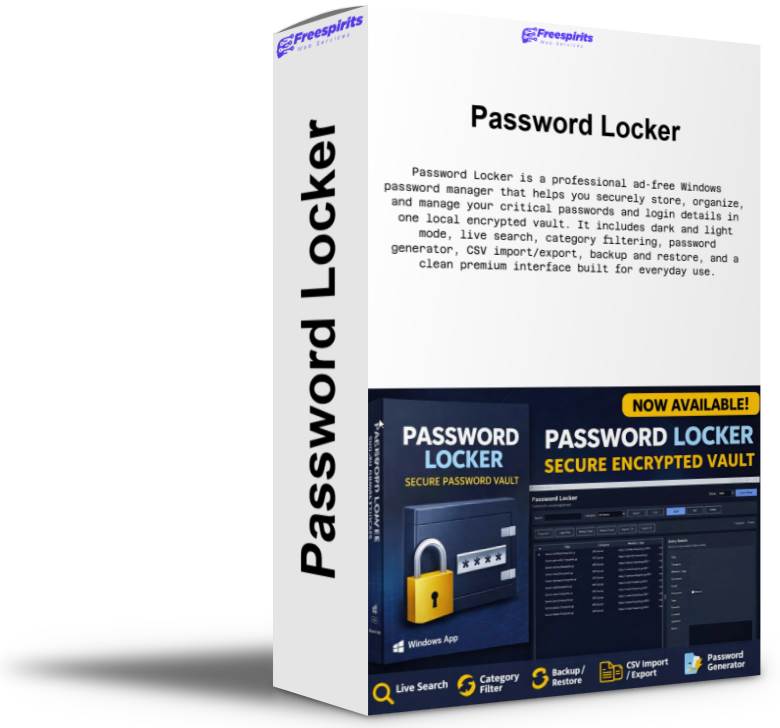
Password Locker is a professional Windows desktop app designed to help users store, organize, and protect their most important passwords and sensitive login details inside a clean, modern, and easy-to-use environment. Built for people who want a practical offline password vault without the complexity of bloated enterprise tools, Password Locker gives users a secure place to keep website logins, usernames, emails, recovery notes, categories, and critical access information in one convenient application.
The app uses a master password system and encrypted local vault storage, helping users keep their private data protected on their own computer. Instead of scattering passwords across browsers, text files, notebooks, emails, or random documents, users can manage everything from one polished desktop interface made specifically for simplicity, speed, and clarity.
Password Locker includes a premium-style user experience with both dark and light tema options, allowing users to work in the visual style they prefer. The interface is designed to feel clean and professional while remaining beginner-friendly. Users can quickly add new entries, edit existing ones, delete outdated records, and browse their vault with ease. The built-in live search feature filters results instantly while typing, helping users find the exact password or account they need without extra clicks. Double-click editing also makes day-to-day use faster and smoother.
To keep information organized, the app supports categories and dynamic filtering, so users can group entries by purpose such as social media, alojamiento, banking, email, client accounts, domains, e-commerce platforms, work tools, or personal services. The category filter updates dynamically according to the entries saved in the vault, which keeps the system simple and practical without unnecessary clutter.
Password Locker also includes useful productivity features such as copy username and copy password actions, secure entry management, CSV import and export capabilities, backup and restore options, and a password generator for creating stronger credentials. These features make it suitable not only for casual personal use, but also for freelancers, developers, marketers, agency owners, alojamiento providers, business users, and anyone managing multiple online accounts every day.
One of the strongest advantages of Password Locker is that it is built as a local Windows application. This means users can keep their vault on their own machine and maintain direct control over their data. It is a great solution for people who prefer a self-managed password storage tool instead of depending entirely on browser-based or subscription-heavy cloud solutions. It is especially useful for users who want a straightforward and affordable password vault for personal or professional workflows.
The app has been designed with comfort and usability in mind. Windows open centered on screen, the layout is optimized for clarity, and the overall experience aims to feel polished and efficient. Whether someone needs a secure place for a few important passwords or a central vault for many logins and confidential account details, Password Locker offers a practical balance of functionality, simplicity, and visual quality.
Password Locker is ideal for storing:
website logins, email accounts, alojamiento credentials, WordPress access, domain registrar details, social media accounts, FTP or server information, business platform logins, client-related credentials, recovery notes, and other critical digital access information.
This product is suitable for:
freelancers, entrepreneurs, office users, digital marketers, developers, web designers, agency owners, alojamiento providers, online sellers, remote workers, and anyone who wants a dedicated password storage app for Windows.
Key features include:
local encrypted vault, master password protection, modern premium interface, dark and light mode, live search while typing, dynamic category filter, double-click edit support, add/edit/delete entries, copy username and password actions, password generator, CSV import/export, backup/restore tools, centered windows, and a clean ad-free experience.
Password Locker is a strong choice for users who want a professional desktop password manager that is simple to use, visually refined, and focused on practical everyday protection and organization.
Created with love and care by Albanidis Dim. Konstantinos
Powered By Freespirits Web Services